Integrating synthetic voiceovers into modern video editing workflows requires an audio-first assembly approach: generating modular, chapter-based dialogue stems on local PC hardware, laying down a synchronized 'radio edit' to lock narrative pacing, and carving out acoustic frequency space using sidechain ducking and parametric EQ before adding B-roll and visual transitions. By deploying offline desktop software like Vocal Cipher, video creators produce pristine 24-bit 48kHz dialogue stems on Windows with zero cloud latency, zero monthly subscription costs, and unlimited audio iterations.
Key Workflow Principle for Video Editors in 2026
Professional video pacing is dictated by speech rhythm, not visual cuts. When you cut video clips first and attempt to stretch or compress voiceover audio to fit arbitrary video lengths, speech sounds hurried, unnatural, or disjointed. Modern post-production begins with uncompressed dialogue stems rendered locally, establishing an organic emotional rhythm that guides visual editing, sound design, and music transitions.
The Evolution of Video Production: From Expensive Voice Actors to Desktop AI
For decades, the video production pipeline suffered from severe audio bottlenecks. Independent documentary filmmakers, commercial agencies, and YouTube creators had to hire freelance voiceover talent through talent agencies. A three-minute commercial voiceover could cost $250 to $700, require three days of back-and-forth communication, and demand expensive re-recording fees whenever the client modified a single sentence in the script.
The initial wave of cloud text-to-speech tools attempted to solve this issue, but replaced talent friction with technical friction. Creators found themselves trapped in recurring monthly subscriptions ($30 to $120 per month) with strict character meters, latency bottlenecks, and lossy MP3 compression artifacts that degraded inside professional digital audio workstations.
In 2026, the video editing ecosystem has matured into a hybrid desktop architecture. High-performance local software runs neural speech synthesis directly on Windows workstations, delivering broadcast-grade 48kHz WAV audio stems without recurring invoices, cloud data transmission, or wait queues.
Vocal Cipher: High-Speed Voiceover Synthesis for Windows
Generate uncompressed 24-bit 48kHz voiceover tracks directly inside your editing workstation. No cloud quotas, no character fees, and instant batch generation for Premiere Pro and DaVinci Resolve.
Get Vocal CipherThe Audio-First Editing Methodology: Why Voiceovers Dictate the Cut
Novice editors frequently make the mistake of editing visuals first. They assemble beautiful B-roll clips, color-grade their footage, drop cinematic motion graphics, and then attempt to drop voiceover narration on top. When the narration finishes three seconds too early or two seconds too late, they are forced to disrupt visual compositions, stretch video speeds, or insert awkward jump cuts.
Master editors follow the Audio-First Protocol (commonly known in television documentary post-production as the "Radio Edit"):
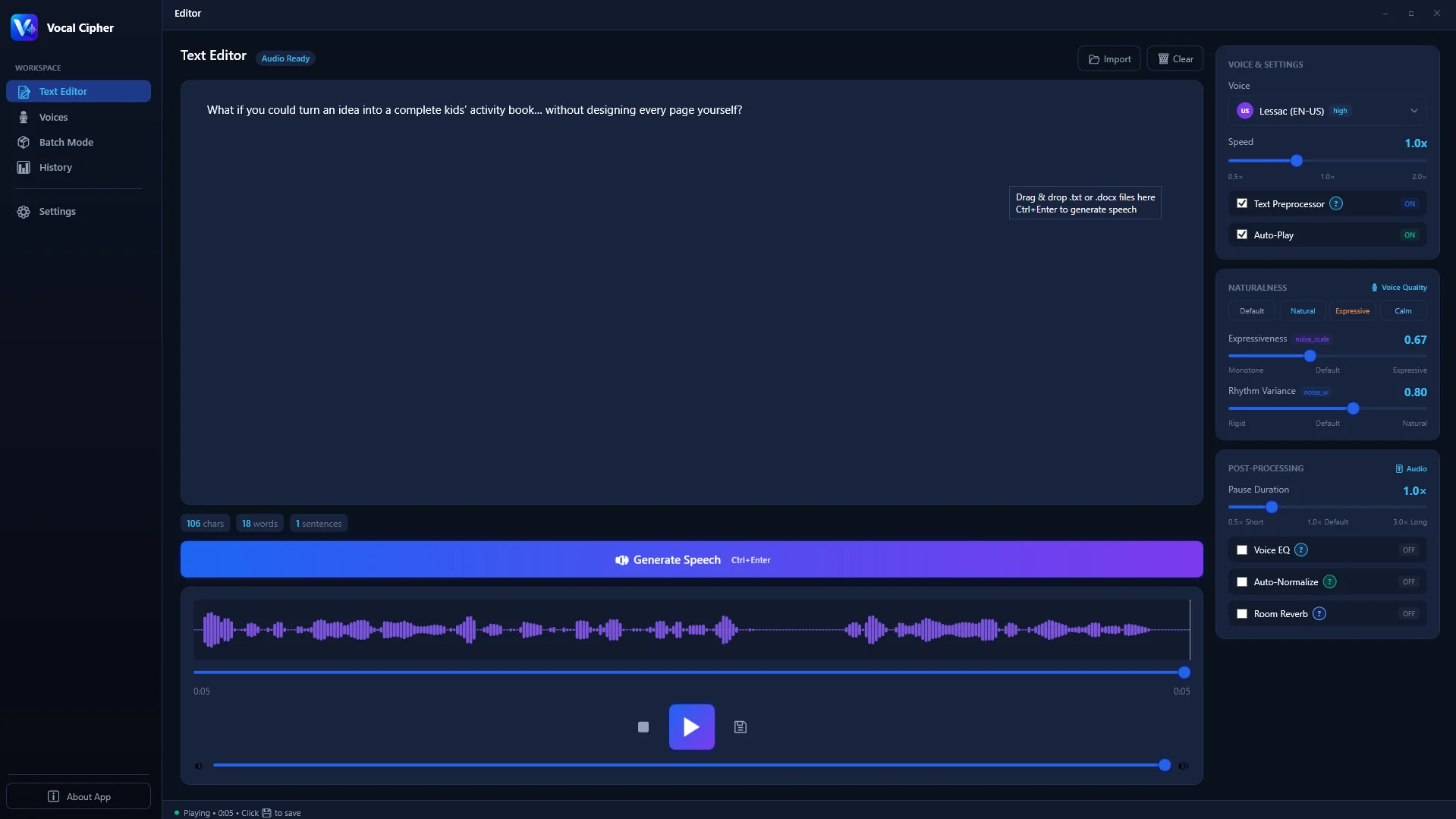
Draft and refine your script pacing inside Vocal Cipher to establish your narrative structure before touching video tracks.
- Phase 1: Synthesize the Complete Dialogue Stem: Format your script and render the dialogue track locally using Vocal Cipher. Because rendering takes only seconds on your PC, you can experiment with sentence variations and pacing freely.
- Phase 2: Assemble the Radio Edit on Track A1: Drop the audio stems onto Track A1 of your timeline. Listen to the entire piece with your eyes closed. Ensure the emotional trajectory makes sense and that breathing spaces feel organic.
- Phase 3: Drop Timeline Markers on Cadence Shift Points: Play through the audio and tap
Mon your keyboard at critical voice inflections, punchlines, dramatic revelations, and paragraph conclusions. These markers define your visual cut points. - Phase 4: Match B-Roll and Graphics to Acoustic Markers: Align video clips, camera pans, and lower thirds to snap cleanly to your audio markers. This creates an instinctive, professional rhythm where image and speech feel united.
| Track ID | Track Name | Content Type | Recommended Processing & Level |
|---|---|---|---|
| A1 | DX_LEAD | Vocal Cipher Primary Narration | -14 LUFS, High-pass 80Hz, 3:1 Comp, Sidechain Send |
| A2 | DX_SEC | Dialogue / Quotes / Guests | Matched to A1 tone, telephone/radio bandpass if applicable |
| A3 | SFX_SPOT | Whooshes, Risers, Mouse Clicks | -8 to -14 dBFS Peak, subtle stereo panning |
| A4 | AMB_BED | Room Tone, Wind, City Hum | -24 to -30 dBFS, provides spatial glue under narration |
| A5 | MX_BED | Background Soundtrack | Ducked 4-6dB via sidechain keyed to Track A1 |
Modular Chapter Segmentation: The Video Editor's Superpower
When editing a 15-minute or 30-minute YouTube video or commercial presentation, never export your voiceover as a single continuous 20-minute audio track. If the video client asks you to revise one statistical figure at minute seven, re-rendering an entire 20-minute file disrupts your entire sequence.
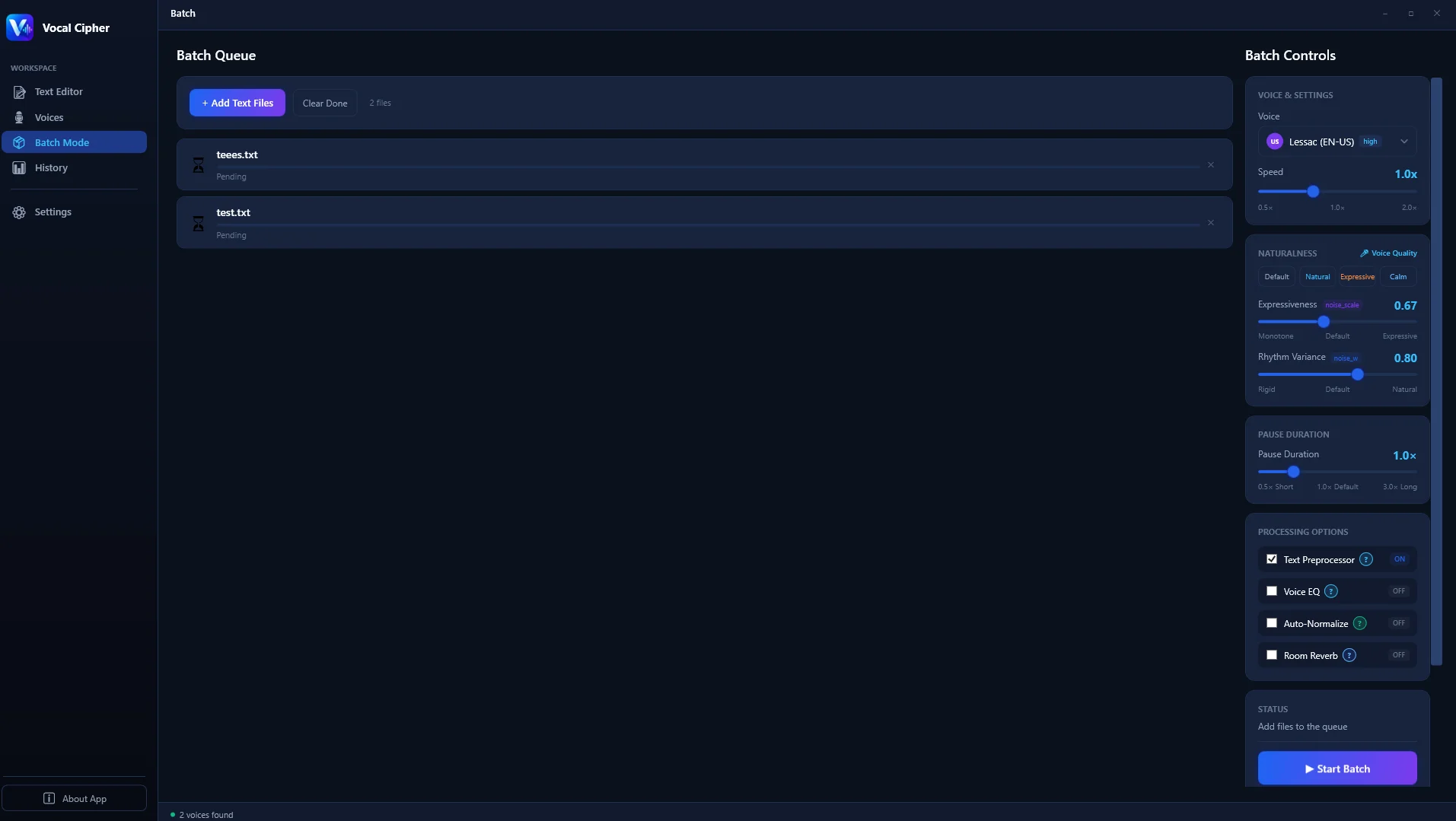
Break your video scripts into discrete scenes and queue them simultaneously using Vocal Cipher's batch processing engine.
Instead, segment your script into scene-based blocks:
01_Cold_Hook.wav(0:00 - 0:45)02_Title_Intro.wav(0:45 - 1:30)03_Problem_Analysis.wav(1:30 - 4:15)04_Case_Study_DeepDive.wav(4:15 - 9:00)05_Key_Takeaways.wav(9:00 - 12:30)06_Conclusion_CTA.wav(12:30 - 14:00)
Using the batch queue in Vocal Cipher, you can render all six stems in under twenty seconds. When revisions are required later, you regenerate only the affected section in two seconds without touching the rest of your timeline.
Advanced Audio Engineering for Video Editors: Spectral Carving and Sidechain Ducking
The hallmark of an amateur YouTube video is dialogue that fights against the musical score. Either the music is so loud that speech consonants become illegible, or the music is turned down so low that the video feels empty and lifeless during pauses.
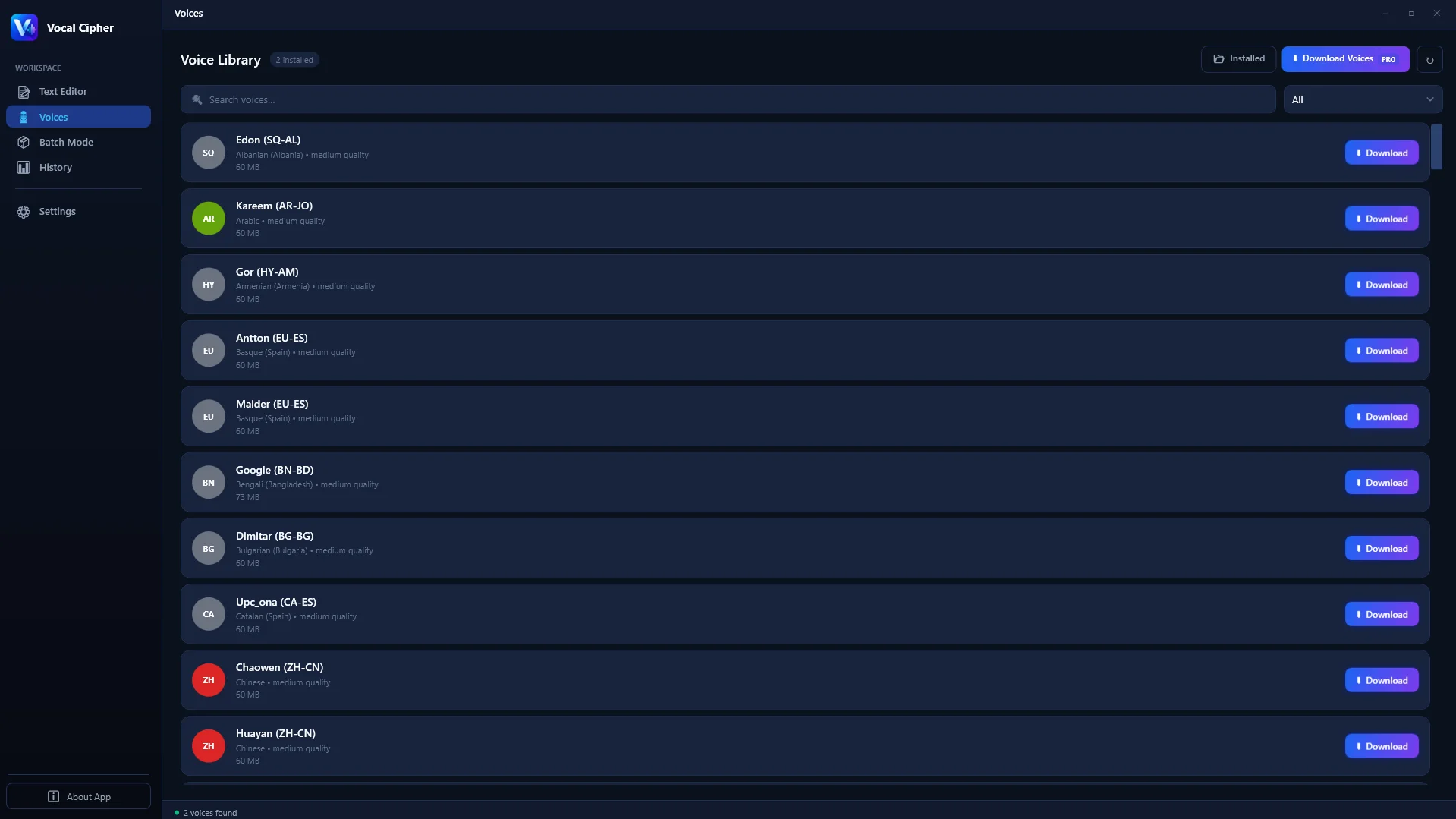
Choose from a versatile collection of vocal profiles with distinct resonant envelopes in Vocal Cipher.
To solve this permanently, video editors implement two industry-standard DSP techniques:
The Professional Voice-to-Music Mixing Blueprint
1. Dynamic Spectral Carving (Frequency Pocketing)
Human speech intelligibility relies primarily on formant frequencies between 1,200Hz and 3,500Hz. Acoustic guitars, synthesizers, and pianos also occupy this exact frequency band. Insert a dynamic parametric EQ (such as FabFilter Pro-MB or DaVinci Fairlight Dynamic EQ) on your background music track. Set a bell filter at 2.5kHz with a Q of 1.4, and route the sidechain input from Track A1. Whenever the voiceover speaks, the music dips by 3dB only in that specific vocal window, allowing narration to cut through cleanly while preserving the rich bass and sparkling highs of the soundtrack.
2. Smooth Sidechain Ducking with Attack and Release Timing
Apply a compressor to your overall music bus. Key the sidechain to Track A1. Configure the attack time to 30ms so the initial transient of the first word triggers the reduction before the ear notices. Set the release time to 450ms. A 450ms release creates an elegant, natural swell where the music returns smoothly during narrative pauses without jarring pumping artifacts.
Synchronizing AI Voiceovers with Auto-Captions and Subtitles
Over 75% of social media video content on platforms like YouTube Shorts, TikTok, and Instagram Reels is consumed with sound muted in public transit, offices, or mobile environments. Accurate animated subtitles are essential for audience retention and click-through rates.
Because Vocal Cipher synthesizes uncompressed 24-bit 48kHz audio stems on your local PC, automatic speech recognition (ASR) engines inside DaVinci Resolve Studio (Create Subtitles from Audio) and Premiere Pro (Transcribe Sequence) achieve virtually 100% transcription accuracy.
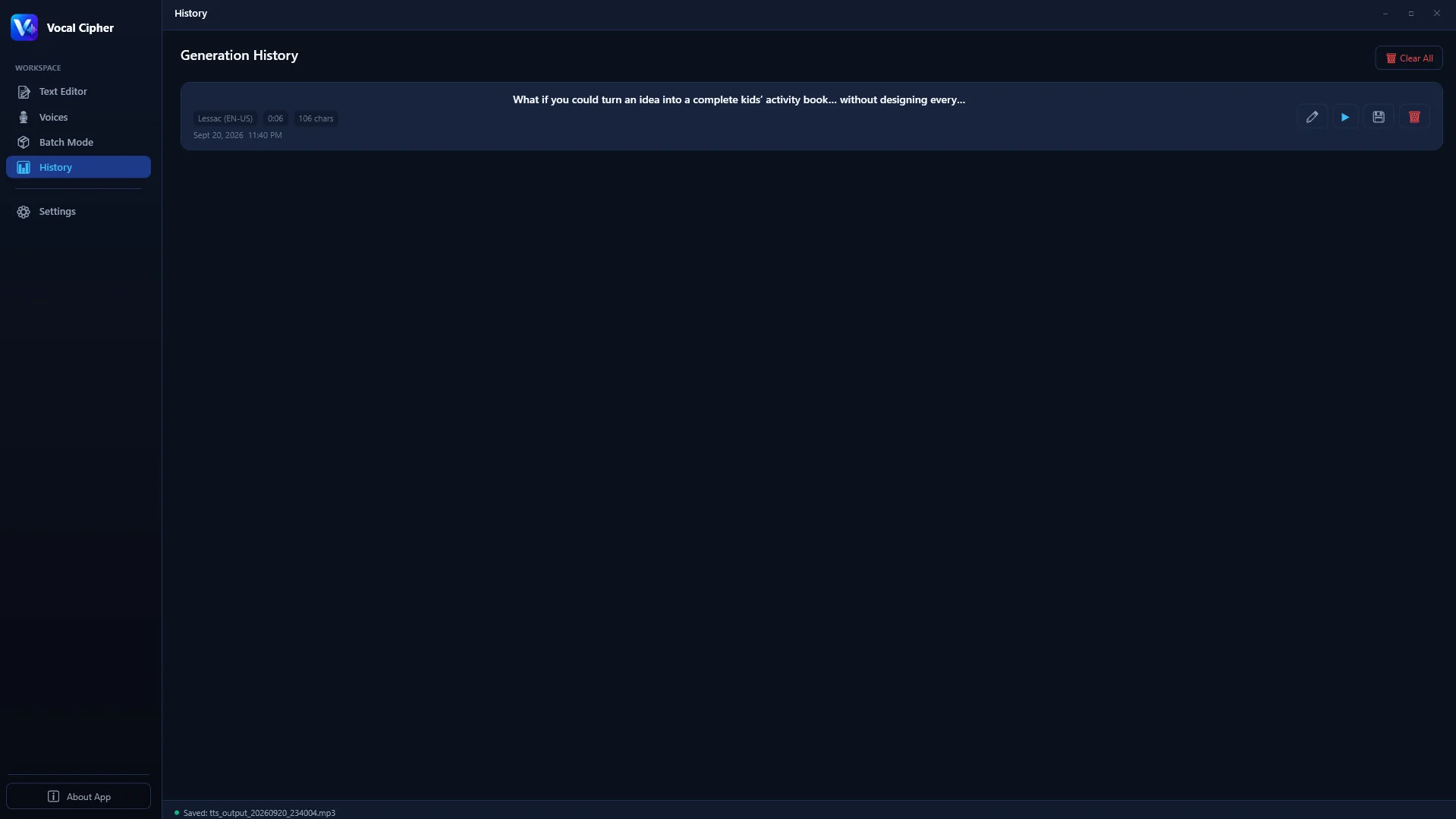
Exported uncompressed WAV stems provide high clarity for automatic transcription and subtitle alignment.
When ASR tools process noisy microphone audio or compressed MP3 files with low signal-to-noise ratios, phonetic mistranslations are frequent. The crystalline clarity of Linear PCM voice stems ensures subtitle timecodes align with exact word boundaries, eliminating hours of manual subtitle editing.
Comprehensive Comparison: Cloud TTS vs. Stock Voice Packs vs. Local Synthesis
To assist post-production supervisors and creative leads in choosing the right toolchain, review the comparative matrix below:
| Evaluation Criteria | Cloud TTS Services | Pre-recorded Stock Audio | Vocal Cipher (Local PC) |
|---|---|---|---|
| Pricing Structure | $20 to $120/month + overages | $15 to $50 per recorded clip | Single one-time desktop license |
| Script Flexibility | High, but metered by character | Zero (Fixed generic phrases) | 100% custom and unlimited |
| Audio Format | Lossy MP3 (128kbps) | Variable (WAV or MP3) | Uncompressed 24-bit 48kHz Linear PCM |
| Internet Requirement | Always online | Download required | 100% offline and air-gapped |
| Latency & Turnaround | Network lag, server queue | Hours searching stock libraries | Near-instantaneous local render |
Step-by-Step NLE Integration Workflows
Whether you cut in DaVinci Resolve, Adobe Premiere Pro, Apple Final Cut Pro, or CapCut Desktop, following these specific software steps ensures consistent audio fidelity:
DaVinci Resolve Studio Workflow
- Create a new project and set Audio Sample Rate to 48kHz in Project Settings.
- Drag exported Vocal Cipher WAV stems into the Media Pool and assign them to Track A1.
- Switch to the Fairlight Page. Open the Fairlight Mixer and assign the Track A1 Dynamics Compressor sidechain send.
- On your music track (Track A5), enable Sidechain Listen keyed to Track A1. Set threshold to -24dB and ratio to 3.5:1.
Adobe Premiere Pro Workflow
- Set your sequence audio setting to 48000 Hz.
- Open the Essential Sound Panel. Select the Vocal Cipher narration clips and assign them as "Dialogue".
- Select your background music clips and assign them as "Music". Check the Ducking checkbox, select "Duck against Dialogue", and set sensitivity to 5.0 and duck amount to -18dB.
CapCut Desktop Workflow
- Import your 24-bit WAV narration clips directly into the CapCut timeline.
- Under the Basic Audio tab, enable "Loudness Normalization" to ensure steady dialogue volume across all mobile playback devices.
- Use CapCut's "Auto Captions" tool to generate animated subtitle templates synchronized to your voice stems.
Apple Final Cut Pro Workflow
- Set your Library Audio Properties to 48kHz Stereo or Surround.
- Assign imported Vocal Cipher WAV stems to the standard "Dialogue" audio role.
- Apply the Voice Isolation effect at a conservative 15% setting to enhance vocal intimacy and establish consistent acoustic presence.
Avid Media Composer Workflow
- Link dialogue clips via UME (Universal Media Engine) to preserve 24-bit PCM word depth.
- Open the Audio Track Effects tool and insert an RTAS/AAX compressor across the Dialogue master sub-bus.
- Calibrate tone levels to EBU R128 (-23 LUFS) or North American ATSC A/85 (-24 LKFS) for broadcast broadcast television delivery.
The Psychology of Formant Tuning: Sculpting Emotional Character Archetypes
When cutting documentary narratives or dramatic explainers, voice pitch alone does not convey psychological depth. In acoustic phonetics, formants are the resonant frequency peaks of the vocal tract that determine vocal timbre and perceived physical stature. By fine-tuning formant parameters inside Vocal Cipher before exporting stems, video editors can evoke specific audience emotional reactions:
- The Authority Archetype: By slightly shifting formants downward (-1.5 to -2.2 semitones) without slowing playback speed, you simulate an anatomically larger vocal tract. This introduces deep chest resonance and commanding gravitas, perfect for investigative journalism, true crime narration, and historical documentaries.
- The Intimate Mentor Archetype: Neutral formants paired with a close-microphone proximity setting produce a warm, conversational intimacy. This delivery style is ideal for educational tutorials, coding walk-throughs, and personal self-improvement essays where the viewer needs to feel spoken with directly rather than lectured to.
- The Urgent Dispatch Archetype: Raising formants slightly (+1.0 to +1.8 semitones) with sharp consonantal attack curves simulates physiological excitement and elevated adrenaline. This tone keeps viewers glued to fast-moving technology reveals, product launches, and urgent news analyses.
Editing on the Beat: Audio Transient Slicing and Musical Grid Alignment
One of the most noticeable differences between amateur video cuts and award-winning documentary editing is musical sync. When a speech sentence ends on the exact third beat of a musical measure and the next visual transition lands squarely on the downbeat of the fourth measure, the video feels deeply satisfying to watch.
Here is how to align Vocal Cipher dialogue stems with your musical tempo grid:
- Determine Soundtrack BPM: Identify the beats per minute (BPM) of your chosen background score (for example, 120 BPM means each beat lasts exactly 500 milliseconds, or 12 frames at 24fps).
- Slice Dialogue at Sentence Boundaries: In your NLE, use the razor tool to split your exported Vocal Cipher chapter stem into individual sentence blocks. Because the audio is 24-bit uncompressed WAV, slicing at zero-crossing points produces clean transitions with zero click artifacts.
- Nudge Dialogue to Snap to Downbeats: Position sentence starts so they align with musical downbeats or bar resets. If a sentence finishes two frames before a bar line, leave those two frames as clean silence rather than filling it with noise. That musical breathing room makes your video look and feel professionally produced.
The Science of Narrative Retention: Micro-Pauses and Hook Construction
On video platforms like YouTube, TikTok, and Instagram, the first eight seconds of a video dictate whether the viewer watches the entire piece or swipes away. While visual thumbnails and titles earn the click, acoustic delivery cements viewer commitment.
When crafting the opening hook in Vocal Cipher, leverage variable speech rates:
- The Opening Salvo (165 to 175 WPM): Deliver the core question or high-stakes premise at a brisk, energetic tempo. This matches the fast-scrolling psychology of modern viewers and promises rapid value.
- The Contrast Brake (130 to 140 WPM): Immediately following the hook, introduce a strategic 400ms pause and slow the delivery rate. This sudden contrast signals to the viewer's brain that the introduction is complete and the substantive narrative journey has begun.
- The Cognitive Pause (300 to 500ms): Whenever presenting an unexpected data point, graph, or shocking fact, insert a 500ms silent gap immediately following the sentence. In video editing, this brief silence acts as an acoustic spotlight, giving the viewer's brain time to absorb the visual graphic.
Cinematic Sound Design Layering: Integrating Foley, Risers, and Sub-Bass
High-production video essays and tech commercials do not rely on voiceover alone. They build a multi-layered acoustic environment where speech, sound effects, and musical transitions interact symbiotically:
- The Vocal Lead-In: Cut your voiceover stem so that speech begins 8 to 12 frames (approx. 300 to 500ms) after a visual scene transition. Starting speech slightly after the cut prevents sensory overload, allowing the viewer's visual cortex to orient before dialogue demands auditory focus.
- Sub-Bass Drops on Climax Statements: On track A3, place a tuned 45Hz sub-bass boom or cinema impact precisely when your narrator delivers a thesis conclusion. Because Vocal Cipher stems are high-pass filtered at 80Hz, the sub-bass impact never collides with speech harmonics.
- Whoosh and Swish Transitions: When transitioning between video chapters, end the preceding narration phrase cleanly, build a 1.2-second riser, hit a whoosh on the visual cut, and enter the new chapter with fresh vocal energy.
Global Content Localization: Multi-Language Channels on PC
One of the biggest growth strategies for YouTube creators in 2026 is channel localization: deploying multi-language audio tracks to a single YouTube video or launching localized sister channels in Spanish, German, French, and Portuguese.
On cloud platforms, generating full localized voiceovers for ten languages multiplies subscription expenses by tenfold, costing thousands of dollars every month. With Vocal Cipher running locally on Windows:
- Translate Scripts Locally: Translate your English chapter scripts into target languages with consistent formatting.
- Queue Multi-Lingual Stems: Batch render the Spanish, German, and French stems sequentially on your PC with zero per-word charges.
- Upload Multi-Audio Tracks to YouTube: In YouTube Studio, attach the translated 24-bit audio tracks directly to your primary video upload. YouTube automatically delivers the matching native voiceover based on the viewer's regional settings, massively increasing global view duration.
Asset Hygiene and Timeline Organization for Commercial Agencies
Professional video production houses maintain rigorous folder hierarchies to ensure client revisions can be executed seamlessly years down the line:
01_PROJECT_SCRIPTS/: Holds the finalized text files and timestamped chapter breakdowns.02_RAW_VO_STEMS/: Stores the direct 24-bit 48kHz WAV exports generated by Vocal Cipher.03_MASTERED_DIALOGUE/: Contains the EQ-carved and compressed vocal tracks ready for timeline playback.04_NLE_PROJECT_FILES/: Holds your Premiere Pro (.prproj) or DaVinci Resolve (.drp) project files.05_DELIVERABLES/: Stores the finalized 4K master renders and social media cuts.
Because Vocal Cipher is a permanent offline desktop software installed locally on your Windows PC, your production environment is immune to third-party API deprecations. If a commercial client requests an update to a campaign three years later, your voice models and project presets will function exactly as they did on day one.
Supercharge Your Video Editing Pipeline in 2026
Eliminate cloud latency, character limits, and recurring subscription fees. Generate broadcast-quality 24-bit 48kHz dialogue stems directly on your Windows PC.
Get Vocal CipherFrequently Asked Questions (FAQ)
Can I alter the pacing or pitch of individual words inside Vocal Cipher?
Yes. Vocal Cipher allows you to adjust sentence-level pitch, speech rate, and rhythmic pauses using standard punctuation markers and intuitive controls. You can create dramatic pauses, accelerate excited dialogue, or deepen vocal presence to match your visual scene.
How does local AI speech generation compare in speed to cloud platforms?
Local generation is typically much faster because it eliminates network latency, server queuing, and file download times. On modern multi-core Windows PCs, Vocal Cipher renders audio at 10x to 35x real-time speed. A full five-minute script renders into a 24-bit WAV file in under fifteen seconds.
Can I use multiple voices within the same video project?
Yes. Vocal Cipher includes a multi-speaker library covering diverse timbres, ages, accents, and emotional deliveries. You can assign different voice models to specific sections in the batch queue to produce dynamic character dialogues, guest commentary, or multi-host formats.
Will YouTube or TikTok flag videos that use AI voiceovers?
No. Both YouTube and TikTok allow synthetic narration across monetized channels. Algorithms reward watch time, viewer retention, and original creative value. Hundreds of thousands of top-performing channels use synthetic narration combined with original video editing, custom sound effects, and compelling storytelling.
Can I export voiceovers while offline or traveling?
Yes. Vocal Cipher runs 100% locally on your Windows PC without requiring an internet connection. You can work on airplanes, remote locations, or air-gapped studio environments with complete reliability.
How does uncompressed WAV dialogue improve automated captioning?
Automatic speech recognition algorithms inside DaVinci Resolve and Premiere Pro perform spectral fast Fourier transforms on audio to detect phoneme boundaries. Uncompressed 24-bit 48kHz WAV audio preserves sharp consonant transients without MP3 compression smear, resulting in near-perfect transcription accuracy and exact subtitle timecode alignment.
Can I integrate Vocal Cipher stems into live streaming software like OBS Studio?
Yes. You can pre-render voice clips for channel alerts, intro stingers, and stream scene transitions, and route them directly into OBS Studio media sources or stream decks for instantaneous live playback without cloud streaming latency.
Do I have to pay ongoing royalties for commercial client video work?
No. All audio stems produced by Vocal Cipher carry zero royalty obligations. You retain complete commercial ownership of your rendered files and can use them in client commercials, broadcast television, paid advertisements, and online content without additional fees.