Creating broadcast-grade YouTube voiceovers on a Windows PC without recurring monthly cloud fees requires three elements: an offline neural text-to-speech engine running directly on your local hardware, a structured script formatting pipeline with acoustic pacing markers, and a basic post-production mastering chain that exports 24-bit 48kHz WAV audio calibrated to YouTube's -14 LUFS loudness standard. By replacing cloud API credit meters with dedicated desktop software like Vocal Cipher, video creators can produce unlimited voiceovers locally with zero latency, zero cloud subscription fees, and complete data privacy.
Executive Takeaway for Video Producers in 2026
Cloud-based voiceover platforms charge between $20 and $120 each month while enforcing restrictive character caps, tier throttling, and server downtime. In 2026, modern desktop processors and graphics cards can execute multi-speaker neural speech models locally in real time. Running speech generation entirely on your PC eliminates operational costs, guarantees perpetual access to your favorite voice actors, and produces pristine 48kHz WAV stems ready for DaVinci Resolve, Adobe Premiere Pro, and Final Cut.
The Rising Financial Trap of Cloud Voiceover Subscriptions
For years, digital creators, video essayists, documentary channels, and faceless YouTube producers were told that natural-sounding synthetic speech could only live inside massive remote data centers. Cloud voice companies convinced the creative community that generating human-grade cadence required renting server time by the minute or paying monthly subscription tiers based on arbitrary character counts.
As YouTube publishing schedules accelerate, this cloud subscription model quickly becomes an unsustainable financial bottleneck. Consider the production demands of an active creator uploading two 15-minute documentary videos per week. A typical script for a 15-minute video contains between 2,200 and 2,600 words. Across eight monthly uploads, that equates to roughly 20,000 words or over 110,000 characters of finished narration.
When you factor in multiple takes, script revisions, pacing experiments, pronunciation corrections, and audio regenerations, the actual character consumption triples or quadruples. On cloud platforms, reaching 500,000 characters triggers steep overage penalties or pushes creators into expensive enterprise tiers costing $99 to $250 every month. If you pause your subscription during a creative break, your custom voice configurations, voice history, and project assets are immediately locked behind a paywall.
Over a two-year production cycle, a creator can easily spend $1,800 to $3,500 on recurring cloud voice subscriptions alone. That represents capital that could otherwise be invested in high-grade camera equipment, editing workstations, studio lighting, or motion graphics. Furthermore, relying on remote cloud services ties your entire production schedule to the status of a third-party server. If their API suffers latency spikes or temporary outages on upload day, your video is delayed.

Vocal Cipher: Permanent Desktop Speech Synthesis
Escape credit meters and recurring SaaS invoices. Vocal Cipher runs advanced neural speech models locally on your Windows PC, granting you unlimited generation, multi-speaker catalogs, and lossless 24-bit audio exports with one perpetual license.
Get Vocal CipherWhy Local PC Speech Synthesis Surpassed Cloud APIs in 2026
The technological shift from remote cloud APIs to local desktop synthesis is driven by rapid developments in quantized neural acoustic architectures. In previous eras, running high-fidelity text-to-speech models required massive clusters of enterprise GPUs. In 2026, efficient neural architectures like VITS, FastSpeech 2, and specialized local diffusion pipelines run effortlessly on consumer desktop hardware.
When speech models are optimized for modern x86-64 instruction sets, AVX-512 vector extensions, and DirectML or CUDA acceleration, audio synthesis occurs at 10x to 35x real-time speed. That means a 10-minute YouTube narration script renders into uncompressed audio in less than thirty seconds on an everyday editing PC.
Local execution also solves the problem of model drift. When you depend on cloud voice providers, their engineering teams frequently fine-tune or swap underlying model checkpoints to reduce cloud hosting overhead. Many creators have experienced logging in on a Monday morning only to discover that their channel's signature narrator now sounds robotic, pitched higher, or lacking emotional depth. With local software, the neural voice weights remain stored on your PC SSD and never change without your explicit consent.
| Production Factor | Cloud Voice Platforms (SaaS) | Local PC (Vocal Cipher) |
|---|---|---|
| Pricing Structure | $20 to $120+ every single month | One-time permanent desktop license |
| Usage Restrictions | Strict monthly character quotas | 100% unlimited script generations |
| Internet Dependency | Mandatory high-speed connection | Completely air-gapped and offline |
| Audio Format & Fidelity | Often compressed 128kbps MP3 | Lossless 24-bit 48kHz WAV audio |
| Script Privacy | Transmitted and stored on remote clouds | Private to your internal SSD |
| Generation Latency | Network queue, server buffering | Instant local computation (10x-35x speed) |
Step 1: Preparing Your YouTube Narration Script for Natural Synthesis
The greatest secret to creating studio-quality voiceovers is recognizing that text written for visual reading looks fundamentally different from text written for vocal performance. When reading an article, the human eye processes complex compound sentences and parentheses effortlessly. When an acoustic neural model speaks those same sentences, robotic artifacts appear if the punctuation fails to guide breath pauses and tonal inflections.
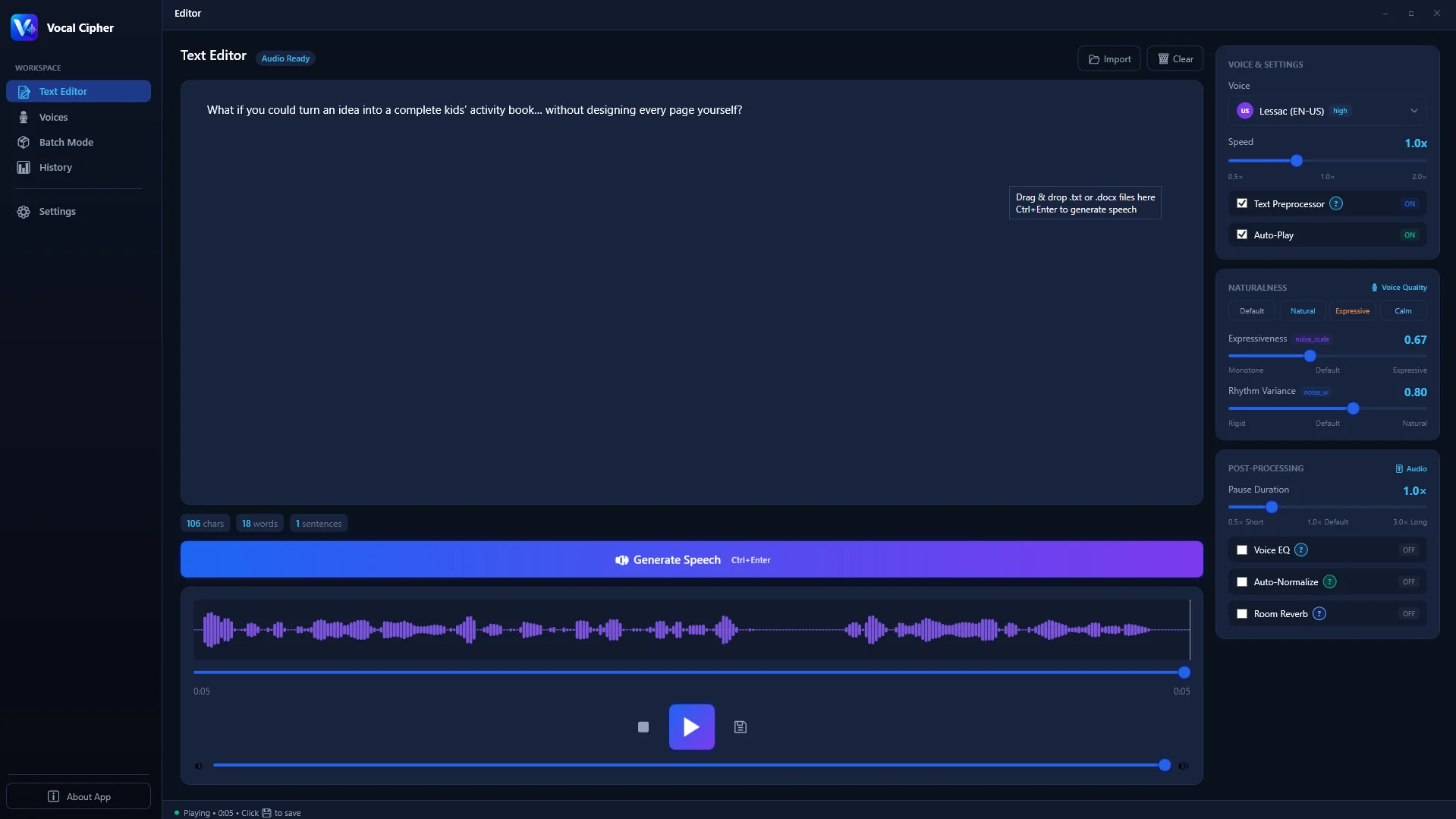
The dedicated desktop workspace in Vocal Cipher lets you draft, edit, and fine-tune your YouTube script with real-time feedback.
Punctuation as Acoustic Modulation
Local neural speech synthesis models interpret punctuation marks not merely as grammatical rules, but as explicit acoustic timing instructions:
- Commas (,) trigger micro-pauses of approximately 180 to 240 milliseconds, raising pitch slightly to signal an ongoing clause. Use commas liberally to separate rhythmic thoughts.
- Periods (.) introduce a downward pitch inflection followed by a 450 to 600 millisecond cadence reset, mimicking a natural speaker breath. Avoid massive 40-word run-on sentences; break them into crisp 12-to-18-word declarative units.
- Colons (:) establish anticipation by introducing a 300 millisecond plateau pause before delivering an explanation, list item, or climactic statement.
- Question Marks (?) force an authentic upward frequency glide at the end of the sentence, immediately hooking viewer attention during opening video hooks.
- Ellipses (...) extend silence to approximately 800 milliseconds, establishing thoughtful hesitation, suspense, or comedic timing.
Spelling Numbers, Acronyms, and Specialized Terminology
Never feed raw shorthand figures like "$45.2M" or "1984" into your narration text. An ambiguous token can cause the model to say "forty-five point two million dollars" in one pass and "forty-five dollars and two m" in another. Spell out numbers exactly as you want your YouTube audience to hear them:
- Change "In 1998" to "In nineteen ninety-eight".
- Change "$250,000" to "two hundred and fifty thousand dollars".
- Change "5,400 rpm" to "five thousand four hundred R-P-M" using hyphens between capitalized letters to force letter-by-letter pronunciation.
- Change "NASA" to "Nasa" if you want it spoken as a word, or "N-A-S-A" if you want individual letters pronounced.
- Change "e.g." to "for example" and "i.e." to "that is".
Step 2: Selecting the Perfect AI Voice Persona for Your Channel Niche
Audience retention on YouTube correlates directly with voice timbre and contextual appropriateness. A high-energy tech review video demands crisp articulation, moderate brightness, and an upbeat pace. In contrast, a historical documentary, true crime analysis, or financial deep-dive requires deeper chest resonance, deliberate pacing, and warm vocal authority.

Browse diverse offline voice models with distinct tonal characteristics inside Vocal Cipher.
Voice Personas Matched by YouTube Content Category
To ensure your channel builds an authentic relationship with viewers, align your selected voice persona with the psychological expectations of your audience:
- Documentary & Deep History: Choose deep baritone voices with lower formant resonance and steady, unhurried cadence (130 to 145 words per minute). This instills historical gravitas and academic trust.
- Science, Engineering & Tech Breakdowns: Select clear, neutral-accented mid-range voices with sharp consonantal transients (150 to 165 words per minute). Listeners need clarity to follow dense diagrams and technical terminology.
- True Crime & Mystery Essays: Opt for intimate, close-mic vocal profiles featuring controlled low-end presence and prolonged sentence decay. Slower pacing builds tension before revealing investigative clues.
- Gaming Lore & Character Recaps: Employ expressive, dynamic voices with wider pitch variation to capture character conflicts, dialogue shifts, and epic worldbuilding lore.
- Finance, Real Estate & Business Analysis: Select warm, authoritative narrators with confident sentence-ending cadence to reinforce analytical competence and financial literacy.
Step 3: Organizing High-Throughput Batch Queues for Video Sections
Professional video editors rarely generate a 20-minute YouTube voiceover as a single monolithic audio file. If your script changes at minute twelve, re-rendering an entire 4,000-word file forces you to re-cut your video timeline, re-align sound effects, and manually locate insertion points.
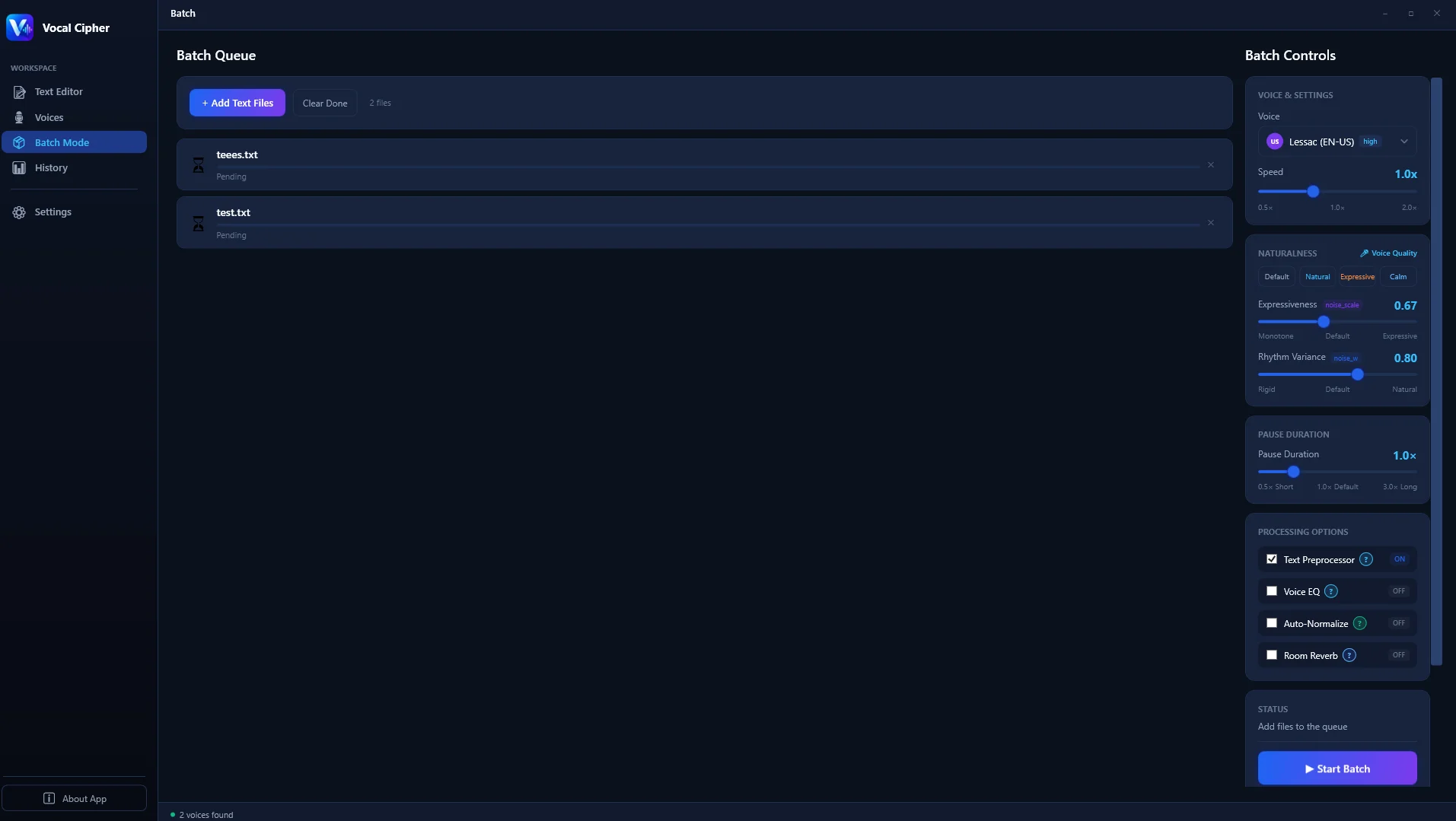
Segment your video script into chapters and process them simultaneously using the offline batch queue.
The most efficient workflow is modular sectioning:
- Divide your script by video chapters: Hook (00:00 to 01:15), Introduction (01:15 to 03:00), Chapter 1 (03:00 to 07:30), Chapter 2 (07:30 to 11:45), Conclusion and Call to Action (11:45 to 13:30).
- Queue each chapter as an independent batch item: In Vocal Cipher, add each section to the queue with a descriptive label.
- Execute one-click parallel synthesis: The local engine synthesizes each chapter sequentially to your hard drive, outputting individually named audio stems like
01_hook.wav,02_intro.wav, and03_chapter1.wav. - Drop files directly onto your timeline: When a sentence needs modification later, only the corresponding chapter file needs regeneration, keeping the rest of your video edit intact.
Step 4: Exporting Uncompressed 24-Bit Audio for Clean Video Editing
One of the biggest shortcomings of budget cloud voice services is their reliance on lossy MP3 compression. Cloud providers stream audio over the web as 128kbps or 192kbps MP3 files to reduce bandwidth costs. While an MP3 sounds acceptable through laptop speakers, lossy compression discards subtle high-frequency harmonic information above 16kHz and introduces phase smearing.
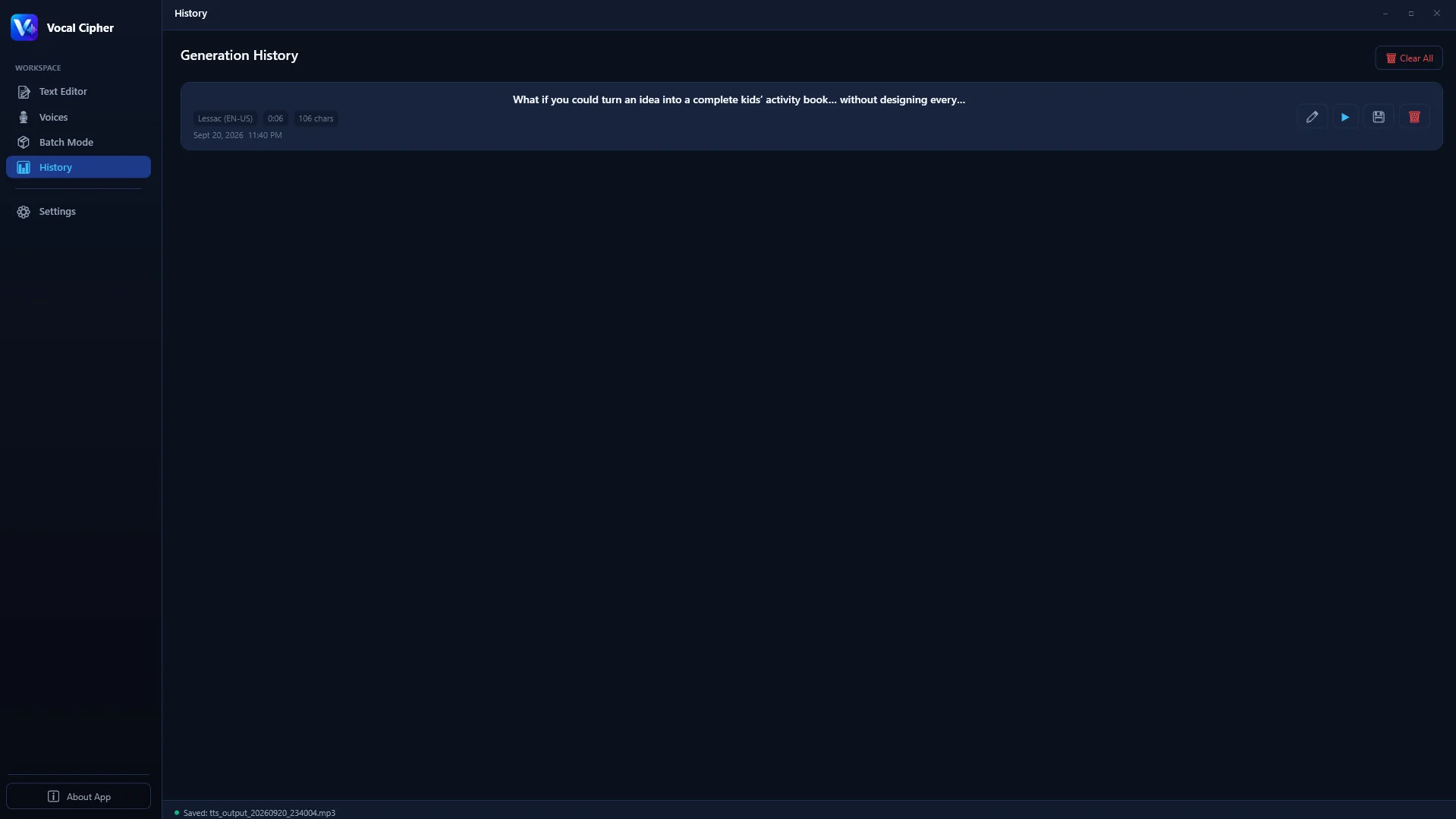
Inspect past generations and export pristine, uncompressed WAV files with exact sample rate fidelity.
When you import a lossy MP3 file into DaVinci Resolve or Premiere Pro, apply an equalizer, add a compressor, mix in background music, and render the final video as an AAC or Opus stream for YouTube, your audio undergoes generational loss (transcoding lossy audio into lossy audio). This results in a harsh, metallic sizzle on sibilant consonants like "s", "t", and "ch".
By contrast, generating voiceovers on your local PC through Vocal Cipher produces uncompressed 24-bit 48,000Hz (48kHz) Linear PCM WAV files. Because 48kHz is the universal standard sampling rate for digital video, your narration drops into video editing timelines with zero sample-rate conversion errors and maximum dynamic headroom for post-production effects.
Step 5: The Essential YouTube Audio Mastering Chain
Even the most realistic synthetic speech benefits from a dedicated mastering chain to sound like it was recorded inside an acoustic isolation booth with a Neumann U87 or Shure SM7B microphone. You can set up this four-plugin chain inside your video editor (Fairlight in DaVinci Resolve, Essential Sound in Premiere Pro, or Audacity on Windows):
The 4-Stage Broadcast Vocal Chain
1. High-Pass (Low-Cut) Filter at 80Hz
Apply a 12dB/octave high-pass filter cutting everything below 80Hz. Human speech contains no musical information in this sub-bass region. Removing sub-80Hz rumble frees up amplifier headroom and prevents muddiness on smartphone and TV speakers.
2. Subtractive Parametric EQ
Make a gentle narrow dip (-2.5dB with a Q factor of 2.0) around 350Hz to 450Hz to clear out boxy room resonances. Then add a subtle high-shelf boost (+1.5dB above 10kHz) to introduce broadcast "air" and crystalline vocal presence.
3. Smooth Voice Compressor
Set a 3:1 ratio with a medium attack time of 25ms and a release of 120ms. Aim for 3dB to 5dB of gain reduction during louder phrases. This glues the narration together and ensures every whisper and emphasis sounds evenly balanced.
4. True Peak Limiter and YouTube Loudness Target (-14 LUFS)
Set your limiter ceiling to -1.0 dBFS True Peak to prevent digital clipping when YouTube transcodes your video. Adjust overall vocal gain so your narration registers between -15 and -13 LUFS Integrated loudness, ensuring YouTube plays your audio at full volume without applying negative normalization penalties.
Advanced Phonetic Fine-Tuning: Mastering Homographs and Pitch Curves
Even the most sophisticated neural speech architectures occasionally encounter words with identical spelling but different pronunciations based on grammatical context. These linguistic elements, known as homographs or heteronyms, can sound awkward if left unmanaged in a fast-paced YouTube voiceover script.
Consider the word "record". In the sentence "He set a world record," the stress falls on the first syllable (REH-kord). In the sentence "Please record this track," the stress falls on the second syllable (ree-KORD). Similar common homographs include "produce" (PROH-dooce vs pruh-DOOCE), "conduct" (KON-dukt vs kuhn-DUKT), and "present" (PREH-zuhnt vs pree-ZEHNT).
When preparing a script inside Vocal Cipher, you can resolve homographic ambiguity instantly using phonetic substitutions:
- Noun vs. Verb Ambiguity: If the model pronounces the noun form of "contract" when you need the verb form, replace the text with "con-tract" or rephrase the surrounding clause to provide stronger syntactic context.
- Technical Brand Names: Obscure tech hardware names and proprietary software tools often require phonetic respelling. Write "Asus" as "Ay-soos", "Xerox" as "Zee-rox", and "Linux" as "Lin-ucks" to guarantee 100% pronunciation precision on the first pass.
- Regional Dialect Adaptation: If you are targeting a UK audience with a British voice model, spell words using British conventions (such as "colour", "theatre", and "aluminium") so the neural model applies accurate British vowel lengths and rhoticity patterns.
Acoustic Space Simulation: Giving AI Voiceovers Spatial Presence
A pristine neural voiceover file generated locally on your PC is completely "dry." That means it contains zero room reverberation, zero acoustic reflections, and zero background ambience. While this provides maximum flexibility for post-production, playing an intensely dry vocal track over cinematic B-roll footage can occasionally sound unnatural or disconnected from the visual environment.
To blend your desktop voiceover into your video world, introduce subtle spatial glue using a stereo convolution reverb plugin (such as DaVinci Resolve Studio's Fairlight Convolution Reverb or Valhalla VintageVerb):
- Select a Small Studio or Booth Impulse Response (IR): Avoid large cathedral or concert hall presets, which make narration sound hollow and distant. Choose an impulse response modeled after a 100-square-foot vocal booth treated with acoustic foam.
- Maintain a Very Low Wet/Dry Ratio: Keep the reverb send or mix knob between 4% and 7%. The reverberation should not be audible as an echo; rather, it should subtly bridge the voiceover with the video frame, giving it tangible warmth and physical presence.
- Apply Pre-Delay: Set a pre-delay of 20 to 35 milliseconds. This ensures that the crisp initial consonant attack of the voice reaches the listener's ear first, maintaining pristine intelligibility before the subtle acoustic space blooms.
Balancing Voiceover Stems with Background Music
A studio voiceover can easily be ruined if background audio tracks fight for the same sonic frequencies. To achieve maximum clarity and high viewer retention on YouTube, implement audio ducking:
- Sidechain compression ducking: Route your music track into a sidechain compressor keyed to the voiceover channel. Whenever the voiceover speaks, the music automatically dips by 4dB to 6dB.
- EQ carving: Notch out a 2dB dip on your music track between 1kHz and 3.5kHz. This frequency window is where human ear sensitivity to vocal consonants is highest, allowing speech to punch through cleanly without raising narration volume.
- Strategic silence: Drop the background music completely during critical plot reveals or dramatic pauses in your video. Silence resets viewer attention and magnifies the impact of the next sentence.
Hardware Optimization: Configuring Your Windows PC for Maximum Throughput
Running neural speech synthesis on a local PC leverages modern computing architectures efficiently. Unlike rendering complex 3D scenes or training massive language models, synthesizing voice checkpoints requires modest system resources. Understanding how each hardware component contributes helps you maximize synthesis speed:
- Processor (CPU): Multi-threaded modern processors equipped with AVX2 or AVX-512 vector instructions (such as Intel 12th to 14th Gen Core i5/i7/i9 or AMD Ryzen 5000/7000/9000 series) deliver lightning-fast neural matrix operations. A 10-minute voiceover renders in roughly 20 to 45 seconds purely on the CPU.
- Graphics Processing Unit (GPU): While not strictly required, an NVIDIA GeForce RTX card (utilizing TensorRT or CUDA acceleration) or an AMD Radeon card (via DirectML) accelerates rendering speeds to over 30x real-time speed. Long audiobook chapters or 30-minute documentary scripts render almost instantaneously.
- System Memory (RAM): A minimum of 8GB of RAM is adequate, though 16GB or 32GB is recommended for smooth multitasking while video editing suites like DaVinci Resolve or Premiere Pro are open simultaneously.
- Solid State Storage (NVMe SSD): Storing your model checkpoints and rendering output directories on an NVMe SSD ensures instantaneous model weight loading and frictionless sequential audio writes.
Long-Term Cost Breakdown: Cloud Subscription vs. Permanent Desktop Software
To understand why content creators and digital media agencies are migrating from cloud voice services to local desktop software, examine the cumulative cost trajectory over three years of consistent video production:
| Time Horizon | Standard Cloud SaaS ($49/mo) | Pro Cloud SaaS ($99/mo) | Vocal Cipher Desktop License |
|---|---|---|---|
| Year 1 | $588.00 | $1,188.00 | Single one-time purchase |
| Year 2 | $1,176.00 | $2,376.00 | $0.00 additional cost |
| Year 3 | $1,764.00 | $3,564.00 | $0.00 additional cost |
| Cumulative Cost | $1,764.00+ | $3,564.00+ | Permanent ownership |
Beyond direct financial savings, local ownership protects you from retroactive price hikes. As cloud companies increase subscription rates or reduce included character allotments, your production expenses grow unpredictably. A permanent desktop software license freezes your production costs permanently.
Maintaining Total Privacy and Intellectual Property Protection
For commercial creators, documentary filmmakers, and agencies working under strict client non-disclosure agreements, uploading unreleased scripts to cloud platforms poses serious security risks. Terms of service on many web platforms permit companies to log submitted text to train future models or store inputs on third-party servers.
When you run Vocal Cipher locally on Windows, your computer acts as an isolated acoustic workstation. No script text, synthesized waveform, or project metadata ever leaves your machine. You can disconnect your Ethernet cable, turn off Wi-Fi, and generate hundreds of hours of voiceovers in an air-gapped environment with complete peace of mind.
Upgrade Your YouTube Voiceover Workflow in 2026
Stop paying monthly fees for cloud characters. Get perpetual desktop access to high-fidelity neural speech synthesis on Windows with zero subscription overhead.
Get Vocal CipherFrequently Asked Questions (FAQ)
Do I need a high-end gaming graphics card to generate voiceovers on PC?
No. While dedicated GPUs with CUDA or DirectML support accelerate rendering speeds dramatically, modern quad-core and octa-core CPUs handle neural synthesis at faster-than-real-time rates. An average desktop or laptop running Windows 10 or Windows 11 with 16GB of RAM can produce studio-quality speech easily.
Can YouTube monetize videos using AI voiceovers?
Yes. YouTube's monetization guidelines reward original, high-value content. YouTube does not penalize channels solely for using synthesized narration. Channels encounter monetization obstacles only if they produce low-effort, repetitive slideshows with scraped text. High-quality original scripting, thoughtful pacing, custom sound design, and original editing meet all YouTube Partner Program criteria.
Why are 24-bit 48kHz WAV files better than MP3 for video editing?
Video containers and broadcast standards operate natively at 48kHz. Importing 44.1kHz MP3 files introduces real-time resampling interpolation inside your editor, causing high-frequency degradation. Furthermore, uncompressed 24-bit audio provides dynamic headroom for equalization and compression without accentuating digital noise floors.
How does Vocal Cipher handle multiple languages and regional accents?
Vocal Cipher includes an expansive library of neural voice profiles spanning North American, British, Australian, and international accents, along with multilingual phoneme mapping for global channel localization. All models are packaged directly within the application, requiring zero ongoing internet access or cloud token purchases.
Will I run out of generation quota when producing long documentary scripts?
No. Because Vocal Cipher runs on your local Windows PC hardware, there are no character limits, word counters, or monthly quotas. You can generate one paragraph or one hundred hours of full-length audiobooks and video essay narration with zero additional fees.
Can I use the generated voiceovers in commercial client projects and sponsored YouTube videos?
Yes. All audio synthesized through Vocal Cipher carries zero royalty obligations for commercial exploitation. You retain full ownership of your exported WAV files and can monetize them on YouTube, broadcast them on commercial television, or sell them to corporate clients without paying royalties.