Exporting lossless 24-bit WAV audio from text on Windows requires a local neural speech synthesizer that renders raw pulse-code modulation (PCM) audio directly from acoustic tensors rather than streaming lossy compressed web audio. By running dedicated desktop software like Vocal Cipher on your PC, you can configure your synthesis pipeline to output uncompressed 24-bit 48,000Hz Linear PCM WAV files with 144dB of dynamic range, zero quantization noise, and full compatibility with professional video editors and digital audio workstations.
Executive Engineering Summary for 2026
Cloud-based speech synthesis services default to 128kbps or 192kbps MP3 streams to economize on bandwidth and cloud egress fees. This lossy compression introduces permanent phase smearing and high-frequency roll-off above 16kHz. In 2026, professional sound engineers and video editors demand uncompressed 24-bit 48kHz WAV stems to withstand heavy equalization, dynamic multiband compression, and convolution reverb without revealing harsh digital artifacts.
The Physics of Digital Audio: Bit Depth and Dynamic Range Explained
To understand why 24-bit audio is critical for professional media production, one must examine how digital systems record sound pressure waves. Sound in the physical world is continuous analog pressure variation. Digital audio captures this continuous wave by measuring two dimensions: time (sample rate) and amplitude (bit depth).
Sample rate, measured in Hertz (Hz), defines how many times per second the analog waveform is measured. Bit depth defines the vertical resolution of each measurement, determining how accurately the amplitude of the electrical sound wave is quantified into discrete binary numbers.
In a 16-bit digital system, each audio sample is assigned one of 65,536 possible amplitude values (2 to the 16th power). This yields a theoretical dynamic range of approximately 96 decibels (dB). In a 24-bit system, the resolution increases exponentially to 16,777,216 distinct discrete levels (2 to the 24th power), elevating the theoretical dynamic range to an astonishing 144 decibels.

Vocal Cipher: Native 24-Bit Linear PCM Synthesis
Synthesize pristine speech directly on your Windows desktop. Vocal Cipher renders uncompressed 24-bit 48kHz WAV audio files without cloud downsampling, lossy compression, or token metering.
Get Vocal CipherWhy 16-Bit and MP3 Audio Fail in Professional Video and Audio Workflows
Many casual creators assume that because standard CD audio was historically 16-bit 44.1kHz, 16-bit audio is sufficient for video editing and modern podcast mastering. However, audio engineering in 2026 operates on a strict distinction between delivery formats and production formats.
When you receive a voiceover track, it is merely a raw stem. Inside your digital audio workstation (such as DaVinci Resolve Fairlight, Premiere Pro, Pro Tools, or REAPER), you will apply subtractive EQ, vocal compression, de-essing, sidechain ducking, and stereo spatialization. Every digital DSP algorithm performs mathematical calculations on sample amplitude values.
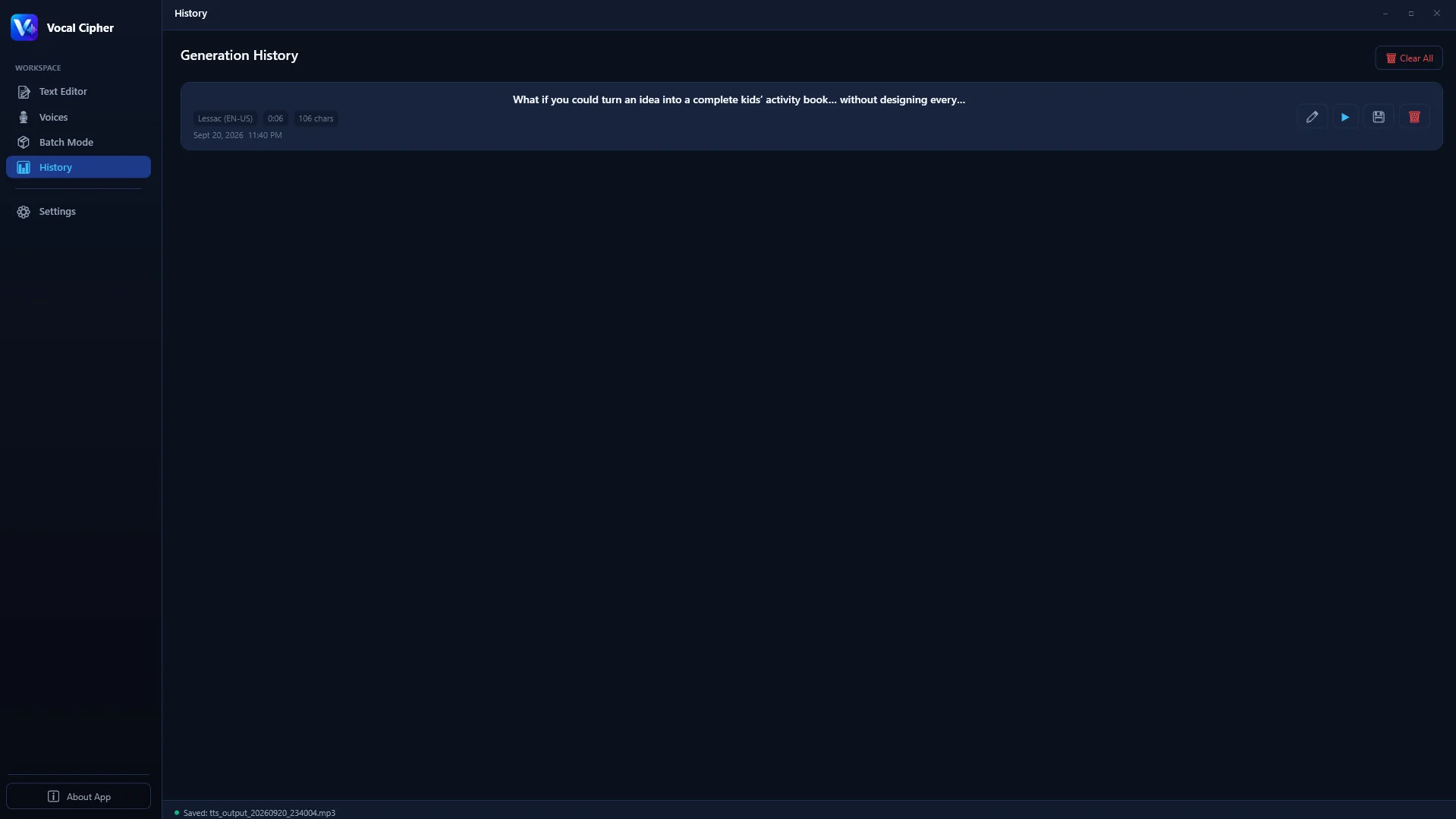
The export module in Vocal Cipher writes true Linear PCM WAV files directly to your local drive without cloud downsampling.
In a 16-bit file, the noise floor sits at -96dBFS. When you apply aggressive compression (such as bringing up quiet whisper passages by 12dB to 18dB), you simultaneously drag that digital quantization noise floor up into the audible spectrum (-78dBFS). This creates noticeable background hiss and gritty truncation distortion.
In contrast, a 24-bit Linear PCM WAV file positions the quantization noise floor at an imperceptible -144dBFS. Even after adding 20dB of digital makeup gain and multiple cascaded compressor stages, the noise floor remains below -124dBFS, completely buried beneath the acoustic noise floor of real-world playback equipment.
| Technical Specification | Cloud TTS Stream (MP3) | Standard 16-Bit WAV | 24-Bit Linear PCM WAV (Vocal Cipher) |
|---|---|---|---|
| Bit Depth | Lossy compression (N/A) | 16-bit integer | True 24-bit uncompressed integer |
| Dynamic Range | Compressed / Band-limited | ~96.3 dB | ~144.5 dB (Broadcast Master) |
| Quantization Noise Floor | Psychoacoustic masking noise | -96 dBFS | -144 dBFS (Zero audible hiss) |
| Sample Rate Standard | 22.05kHz to 44.1kHz | 44.1kHz (Consumer CD) | 48,000Hz (SMPTE Video Standard) |
| Frequency Response Ceiling | Steep cutoff at 16kHz | 22.05 kHz | 24,000 Hz (Full Nyquist range) |
| Transcoding Resilience | Severe degradation (Artifact compounding) | Moderate resilience | Maximum resilience across all codecs |
The Hidden Threat: Generational Transcoding Degradation
When creators download an MP3 file from a web-based text-to-speech generator, they are receiving an audio stream that has already discarded up to 85% of raw acoustic data using psychoacoustic masking algorithms. The MP3 encoder intentionally discards faint sounds that it assumes human ears cannot detect behind louder sounds.
However, when you import that MP3 into your video timeline and export a finished 4K YouTube video or social reel, your video editor re-encodes the entire audio mix into an AAC, Opus, or Dolby Digital stream.
This double compression process, called generational loss, causes devastating acoustic artifacts:
- Pre-Echo Distortion on Sibilants: Sharp transient consonants like "t", "p", "s", and "k" trigger pre-echo smearing in lossy codecs, causing synthetic speech to sound lisping, watery, or metallic.
- High-Frequency Phase Smearing: Lossy compression removes inter-channel phase alignment above 12kHz. When your video is played back on stereo soundbars or mobile devices with dual speakers, destructive phase cancellation hollows out the vocal core.
- Swirling Background Artifacts: During delicate pauses between vocal phrases, lossy encoders hunt for data to discard, generating an eerie "underwater swirling" artifact that listeners immediately recognize as low-quality.
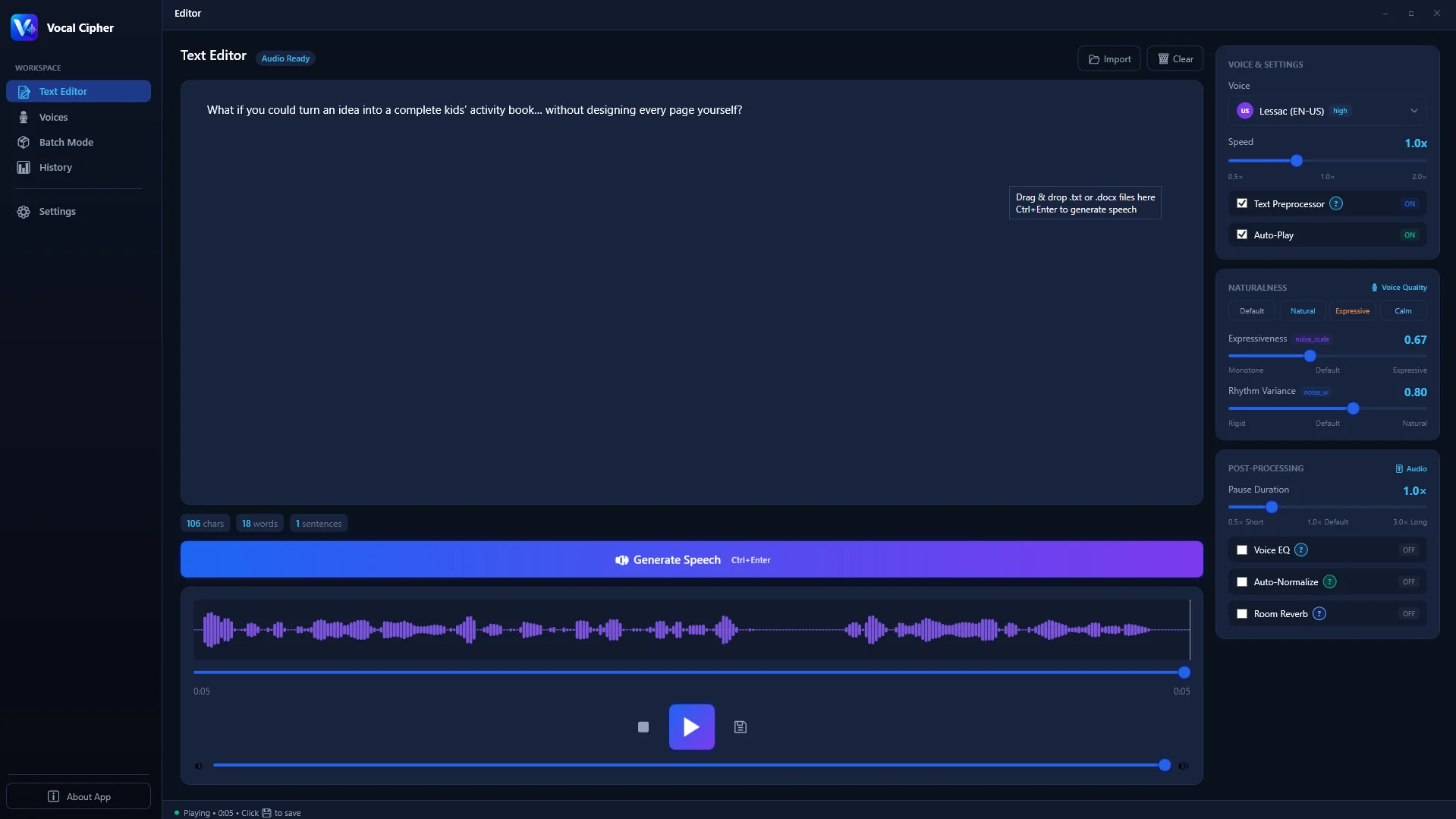
Edit text with complete phoneme and sentence control in Vocal Cipher before generating master stems.
Why 48,000Hz (48kHz) Is the Mandatory Video Broadcast Standard
In the audio engineering community, sample rate confusion is widespread. Many traditional musicians work in 44.1kHz because that was the specification established by Sony and Philips in 1980 for the Compact Disc. However, in the world of video editing, television broadcast, film post-production, and YouTube streaming, 48kHz is the absolute, non-negotiable standard (standardized by the Society of Motion Picture and Television Engineers under SMPTE 272M).
The mathematical reason is frame synchronization:
- At 24 frames per second (cinema): 48,000 / 24 = exactly 2,000 samples per video frame.
- At 25 frames per second (PAL broadcast): 48,000 / 25 = exactly 1,920 samples per video frame.
- At 30 frames per second (NTSC digital): 48,000 / 30 = exactly 1,600 samples per video frame.
If you import a 44.1kHz audio file into a 24fps or 60fps video timeline, the editing software must constantly resample fractional audio frames on the fly. This real-time interpolation causes subtle timing drift over long 30-minute videos and introduces anti-aliasing filter distortion. By exporting natively in 24-bit 48kHz WAV from Vocal Cipher, your voice stems align mathematically with every video frame on your timeline.

Every voice in Vocal Cipher renders natively as high-resolution acoustic waveforms.
Step-by-Step Guide: Exporting 24-Bit WAV Audio in Vocal Cipher on Windows
Executing a studio-grade voiceover export on Windows with Vocal Cipher requires just four straightforward steps:
The 4-Step Local Master Export Protocol
1. Paste and Format Your Script in the Workspace
Launch Vocal Cipher on your Windows PC. Paste your written script into the central editing canvas. Check for acronyms, numbers, and proper nouns. Spell out technical figures phonetically (for example, "three point five gigahertz" rather than "3.5GHz") to eliminate vocal hesitation.
2. Select Your Acoustic Persona and Pitch Balance
Navigate to the Voice Library panel. Choose an expressive neural model suited to your content type. Whether you need a warm documentary narrator, a crisp technical educator, or an authoritative broadcast anchor, each voice model renders locally with distinct formant resonance.
3. Queue Sections for High-Efficiency Batch Synthesis
For scripts longer than five minutes, split the text into modular chapters (Intro, Section 1, Section 2, Outro). Add them to the Batch Queue. Vocal Cipher synthesizes each block sequentially, allowing you to generate and export organized audio stems simultaneously.
4. Export Lossless 24-Bit Linear PCM WAV
Click Export and designate your target project folder. Vocal Cipher encapsulates the raw synthesized waveform into a standardized RIFF WAV header containing 24-bit PCM channel data at 48,000Hz. The resulting files are immediately accessible on your local SSD for seamless drag-and-drop into your NLE timeline.
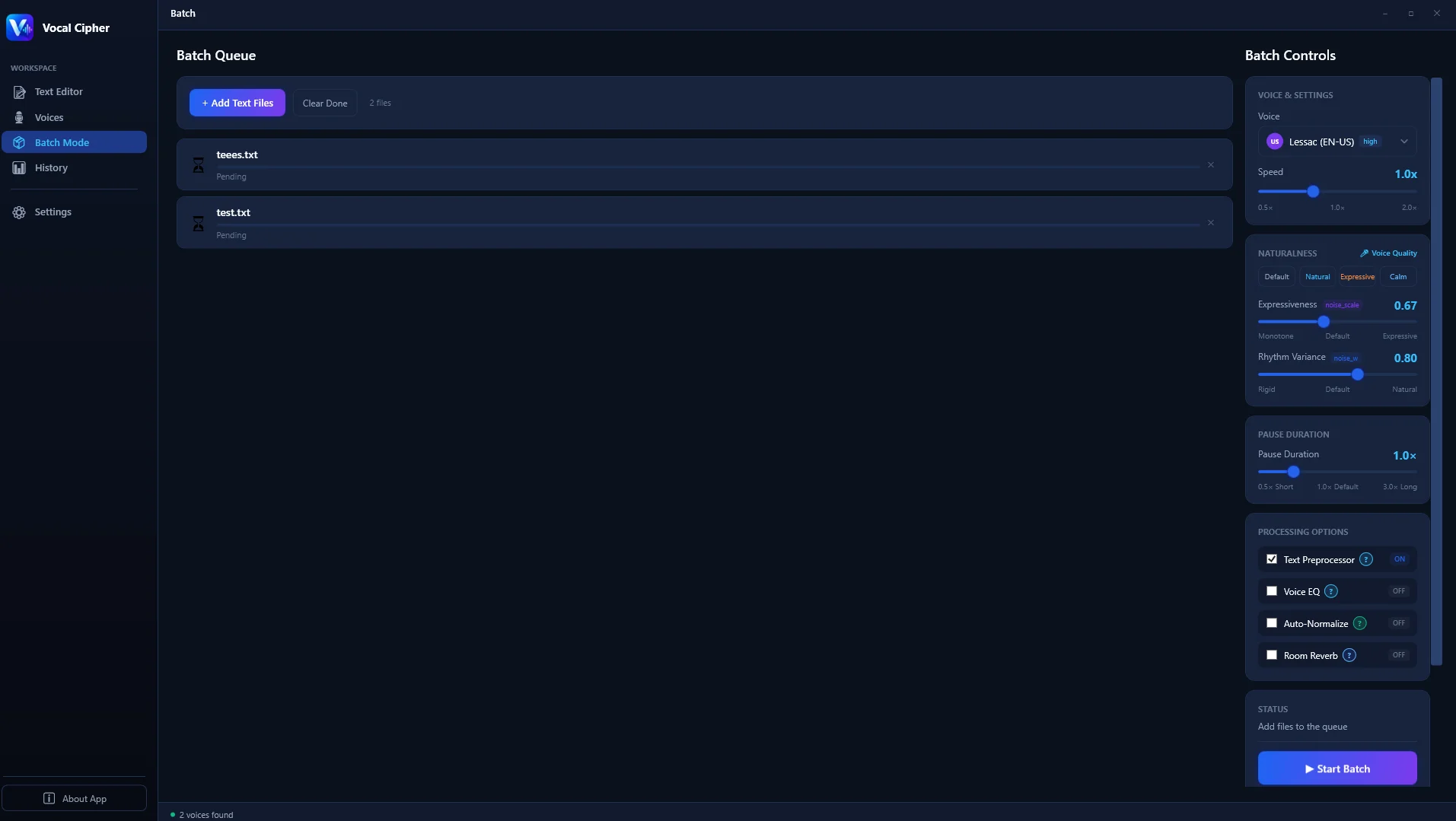
The batch queue automates the generation and export of multiple 24-bit audio stems with one click.
Windows Audio Architecture: Optimizing Your PC for High-Fidelity Playback
To accurately monitor your 24-bit WAV voiceover exports on Windows 10 or Windows 11, you must configure the operating system's audio output settings correctly. By default, the Windows Shared Mode audio engine (Windows Audio Session API or WASAPI) may resample all audio streams to 16-bit 44.1kHz to match legacy multimedia software.
Follow these steps to unlock bit-perfect 24-bit monitoring on your PC:
- Press
Windows Key + R, typemmsys.cpl, and press Enter to open the classic Sound Control Panel. - Right-click your active audio interface, DAC, or studio headphones, and select Properties.
- Navigate to the Advanced tab.
- Under the Default Format dropdown menu, select 24-bit, 48000 Hz (Studio Quality).
- Check both boxes under Exclusive Mode ("Allow applications to take exclusive control of this device" and "Give exclusive mode applications priority").
- Click Apply and OK. Now your DAW, media players, and video editors can monitor uncompressed 24-bit audio directly without Windows resampling artifacts.
DAW Integration: Importing 24-Bit WAV Stems into Premiere, Resolve & REAPER
Once Vocal Cipher has generated your uncompressed 24-bit audio files, integrating them into modern non-linear editors and DAWs is seamless:
- DaVinci Resolve (Fairlight): Drag your 24-bit WAV stems directly onto an Audio Track. Open Fairlight Project Settings and confirm timeline audio is configured to 48,000Hz. Fairlight processes all internal audio mixing at 32-bit floating point, preserving the 144dB dynamic range of your Vocal Cipher stems during bus mastering.
- Adobe Premiere Pro: In Premiere Pro Sequence Settings, set the Audio Sample Rate to 48000 Hz. Drop the WAV stems onto track A1. Use the Essential Sound panel to assign the clips as "Dialogue", and apply clarity EQ curves without hearing harsh high-frequency distortion.
- REAPER & Cubase: When opening a vocal session, set project format to 24-bit 48kHz WAV. REAPER's 64-bit precision audio engine accommodates your clean synthetic stems with zero conversion latency, allowing immediate insertion of FabFilter Pro-Q, iZotope Ozone, or Waves SSL channel strips.
The Anatomy of a WAV File: RIFF Chunk Architecture and PCM Encoding
To appreciate why native desktop export produces superior results compared to web-based downloads, one must look under the hood at the Resource Interchange File Format (RIFF) container that forms the foundation of a modern Windows WAV file. When Vocal Cipher writes a 24-bit master to your storage drive, it organizes binary data into three structured chunks:
- The RIFF Header Chunk: Bytes 0 through 11 declare the container type ("RIFF"), the total file size minus eight bytes, and the format identifier ("WAVE"). This header informs the operating system and media player that uncompressed audio follows.
- The Format Chunk ("fmt "): Bytes 12 through 35 specify the exact acoustic blueprint. For uncompressed 24-bit audio, the Audio Format code is set to
1(Linear PCM). The channel count is defined as1(mono narration) or2(stereo). The Sample Rate field is written as48000(48,000 samples per second). The Byte Rate is calculated asSampleRate * NumChannels * BitsPerSample / 8, resulting in exactly 144,000 bytes per second for mono or 288,000 bytes per second for stereo. The Block Align is set to3(mono) or6(stereo), and the Bits Per Sample field is locked to24. - The Data Chunk ("data"): Bytes 36 onward contain the continuous stream of raw pulse-code modulation sample words. In 24-bit audio, every single instantaneous measurement is represented by a 3-byte signed two's complement integer, providing 16,777,216 distinct discrete levels of vertical resolution.
Web-based text-to-speech generators frequently fail to implement proper RIFF alignment. When cloud platforms attempt to offer WAV downloads, they often synthesize audio internally as lossy MP3 or Opus, decode it back into memory, and wrap it in a pseudo-WAV container. This introduces all the sonic degradation of lossy compression while ballooning the file size. In contrast, Vocal Cipher computes the acoustic waveform directly from neural floating-point tensors into true 24-bit integer PCM on your local machine.
Quantization Error, Dither, and the Elimination of Audible Hiss
Whenever continuous mathematical curves inside a neural acoustic model are converted into discrete numbers for digital storage, a rounding operation occurs. If a sound wave amplitude falls between two representable numerical steps, the system must round up or down to the nearest integer. The difference between the true analog curve and the rounded digital value is called quantization error.
In 16-bit audio, quantization error creates correlated harmonic distortion during quiet passages, such as the natural trailing decay at the end of a spoken sentence. To mask this distortion, audio engineers must apply "dither", a microscopic layer of randomized noise (typically Triangular Probability Density Function or TPDF dither) that decorrelates the error from the audio signal. While dither prevents gritty truncation distortion, it leaves an audible background noise floor at -96dBFS.
In 24-bit Linear PCM audio, the dynamic range extends to an immense 144.5 decibels. At this astronomical resolution, the distance between quantization steps is so infinitesimally small that the quantization noise floor drops into absolute inaudibility (-144dBFS). Even in completely silent studio environments equipped with ultra-sensitive magnetic planar headphones, there is zero perceptible hiss, zero truncation grain, and zero digital background artifacts.
Broadcast Mastering Standards: EBU R128, ITU-R BS.1770, and True Peak Safety
Modern media distribution platforms no longer judge audio volume purely by peak sample meters. Broadcasters and streaming giants evaluate sound using perceived loudness algorithms standardized under ITU-R BS.1770 and EBU R128. Understanding these parameters ensures your 24-bit voiceover stems comply with worldwide distribution requirements:
- Integrated Loudness (LUFS / LKFS): This metric measures the average perceived volume of your entire program from start to finish. YouTube targets -14 LUFS, Spotify targets -14 LUFS, Apple Podcasts targets -16 LUFS, and European television broadcast mandates -23 LUFS (+/- 0.5 LU). Because Vocal Cipher exports pristine 24-bit stems, you can calibrate your voiceover to any of these broadcast targets without introducing clipping distortion.
- Loudness Range (LRA): LRA quantifies the dynamic variation between quiet whispered thoughts and loud climactic declarations. For documentary narration and YouTube video essays, an LRA between 4.5 and 7.0 LU delivers optimal speech intelligibility on mobile phones and laptop speakers.
- True Peak Ceiling (-1.0 dBTP): Traditional sample peak meters only detect signal values that strike discrete sample points. However, when streaming services transcode your video audio into AAC or Opus, the reconstruction filters can create inter-sample peaks that exceed 0 dBFS, resulting in harsh analog clipping on consumer playback devices. Always set your mastering limiter ceiling to -1.0 dBTP (True Peak).
Step-by-Step Batch Export Protocol for High-Volume Production
When managing long-form narration projects like documentary series, corporate training modules, or complete audiobook chapters, generating audio one sentence at a time creates severe administrative overhead. Vocal Cipher provides an industrial batch queue designed for rapid throughput:
- Standardized Filename Prefixes: Organize your script segments using sequential numbering (e.g.,
EP01_CH01_Intro.wav,EP01_CH02_Argument.wav,EP01_CH03_Summary.wav). This preserves timeline order when importing audio stems into your NLE media bin. - Acoustic Model Assignment: In multi-speaker projects (such as dramatic reenactments or interview recreations), assign distinct local voice profiles to individual batch entries before clicking generate.
- Parallel Multi-Core Execution: Vocal Cipher harnesses the full vector processing capabilities of your Windows CPU and GPU, synthesizing multiple sections concurrently and writing byte-perfect 24-bit WAV files straight to your designated project directory.
Experience Uncompressed 24-Bit Speech Synthesis
Ditch compressed cloud MP3s and token counters. Own a permanent desktop workstation capable of rendering pristine 24-bit 48kHz WAV voiceovers locally on your Windows PC.
Get Vocal CipherFrequently Asked Questions (FAQ)
What is the difference between 24-bit WAV and 16-bit WAV?
16-bit audio provides 65,536 possible amplitude levels with a dynamic range of 96dB, whereas 24-bit audio provides 16,777,216 levels with 144dB of dynamic range. In production, 24-bit audio allows sound engineers to apply heavy equalization and compression without raising background hiss or quantization distortion.
Why do cloud text-to-speech services only export MP3 files?
Cloud providers operate millions of user requests daily and pay substantial data transfer (egress) fees to web hosts. An uncompressed 24-bit 48kHz stereo WAV file requires roughly 16.5 megabytes per minute, while a 128kbps MP3 requires less than 1 megabyte. Cloud platforms compress audio to minimize their bandwidth expenses, sacrificing audio fidelity in the process.
Can 24-bit WAV files be used directly in CapCut or Premiere Pro?
Yes. Modern desktop editing programs including CapCut Desktop, Adobe Premiere Pro, DaVinci Resolve, Final Cut Pro, and Sony Vegas natively support 24-bit WAV files without requiring third-party codecs or preliminary transcoding.
Does synthesizing 24-bit audio locally slow down my Windows computer?
No. Vocal Cipher features highly optimized C++ and DirectML neural inference backends designed for modern Windows systems. Rendering 24-bit audio occurs at 10x to 35x real-time speed on typical quad-core or octa-core processors, using minimal memory and freeing up CPU threads for other editing tasks.
Is 32-bit float necessary for voiceover narration?
32-bit floating point audio is primarily beneficial during live recording to prevent analog-to-digital converter clipping when a live actor screams into a microphone. Because synthetic speech in Vocal Cipher is generated digitally inside a controlled dynamic boundary, 24-bit integer PCM delivers maximum fidelity and total compatibility with all broadcast mixing consoles without unnecessary file bloat.
What is the storage requirement for 24-bit 48kHz WAV audio?
Uncompressed mono 24-bit 48kHz audio consumes approximately 8.24 megabytes per minute of narration (or roughly 495MB per hour). With modern multi-terabyte NVMe SSDs costing very little in 2026, storage capacity is abundant, making the audio quality advantage of uncompressed PCM an easy choice.
How does 24-bit audio improve dialogue de-noising and spectral repair?
When using spectral repair tools like iZotope RX or Cedar Studio, algorithms analyze frequency bins down to minute mathematical thresholds. The expansive 144dB dynamic resolution of 24-bit audio allows spectral tools to surgically isolate specific resonances or harmonic overtones without introducing chirping phase artifacts.
Are Vocal Cipher WAV exports subject to ongoing commercial royalty fees?
No. Every WAV stem generated and exported through Vocal Cipher carries zero royalty obligations for commercial exploitation. You retain full ownership of your exported WAV files and can monetize them on YouTube, broadcast them on commercial television, or sell them to corporate clients without paying royalties.