Generating authentic anime and cartoon voices locally on Windows requires combining high-resolution neural speech models with targeted formant manipulation, fundamental pitch scaling (F0 modulation), and specialized dialogue scripting that replicates the exaggerated dynamic range of classic animation acting. By utilizing dedicated offline desktop software like Vocal Cipher, animators and game developers can synthesize distinct character personas directly on their PC hardware, exporting uncompressed 24-bit 48kHz WAV audio stems without recurring monthly cloud API fees or character limits.
The Golden Rule of Animation Voice Acting in 2026
Animation voice acting is fundamentally caricatured acting. While natural documentary narration relies on subtle vocal restraint and steady cadence, cartoon and anime characters demand widened pitch contours, dramatic phrase endings, sharp plosive bursts, and distinct resonant vocal tract adjustments. Standard corporate text-to-speech sounds detached on animated characters because it lacks formant malleability and extreme emotional range.
The Acoustic Physics of Cartoon and Anime Speech
To create believable animated voices that match colorful 2D or 3D characters, creators must understand the two acoustic pillars of human speech: the fundamental frequency (F0) and the formant resonances.
The fundamental frequency represents the vibration speed of the vocal cords, perceived by listeners as pitch. A typical adult male speaks at a fundamental frequency of 85Hz to 155Hz, an adult female speaks between 165Hz and 255Hz, and young children speak at 250Hz to 400Hz.
However, simply raising the pitch of an adult voice does not produce a convincing anime heroine or cartoon creature; it produces the infamous "chipmunk effect." Believable character design requires shifting formants, which are the resonant frequency bands sculpted by the throat, mouth, and nasal cavities. Shifting formants upward simulates an anatomically smaller head and shorter throat, creating an authentic young anime character, fairy, or cute mascot. Shifting formants downward simulates a massive anatomical chest cavity, evoking towering monsters, ancient giants, or menacing villains.

Vocal Cipher: Multi-Persona Speech Synthesis for PC
Bring animated casts to life directly on your Windows PC. Vocal Cipher provides expansive voice libraries, nuanced pitch control, and lossless 24-bit audio exports with a single perpetual desktop license.
Get Vocal Cipher5 Core Character Archetypes and Acoustic Recipes
Inside Vocal Cipher, you can sculpt distinct character personas by aligning your chosen voice model with specific pitch, cadence, and script formatting parameters:

Explore dynamic vocal timbres across multiple age brackets and acoustic profiles in Vocal Cipher.
Character Voice Acoustic Specifications
1. The High-Energy Anime Heroine / Tsundere
Acoustic Blueprint: Fundamental pitch elevated by +3 to +5 semitones, upward formant shift, crisp high-shelf boost (+2dB at 8kHz). Fast cadence (160 to 180 WPM). Script formatting: Use exclamation marks liberally and end sentences with questioning intonation marks to create that classic feisty, rapid-fire dialogue delivery.
2. The Shonen Action Protagonist
Acoustic Blueprint: Energetic youthful male voice model with aggressive attack dynamics. Fundamental pitch set at +1 to +2 semitones. Pacing: 155 to 170 WPM. Elongate dramatic vowels by spelling words phonetically (e.g., "N-o-o-o!" or "Take th-i-s!").
3. The Gruff Monster / Ogre / Underground Boss
Acoustic Blueprint: Deep baritone voice profile pitched down by -3 to -5 semitones, downward formant scaling to simulate an immense throat cavity. Slow, lumbering tempo (105 to 125 WPM). In script drafting, insert frequent ellipses (...) to introduce heavy breathing spaces.
4. The Quirky Sci-Fi Robot / Cyber Mascot
Acoustic Blueprint: Neutral mid-range voice model synthesized with flattened pitch modulation. Pacing: Exact, steady 150 WPM. Post-production: Apply a subtle ring modulator or flanger plugin at 45Hz with 20% mix in your DAW to add mechanical harmonic sidebands.
5. The Ancient Mystic Sensei / Venerable Elder
Acoustic Blueprint: Mature vocal profile with natural breathiness. Pitch lowered by -1.5 semitones. Deliberate, contemplative cadence (110 to 125 WPM). Script formatting: Break clauses with commas and periods after every 4 to 6 words to simulate measured ancient wisdom.
Scripting Techniques for Animated Character Acting
Dialogue in animation is exaggerated to complement broad visual gestures and stylized facial expressions. If you paste a plain descriptive script into a speech synthesizer, the character will sound lifeless. Animators use specific text formatting tricks to coax emotive acting out of neural models:
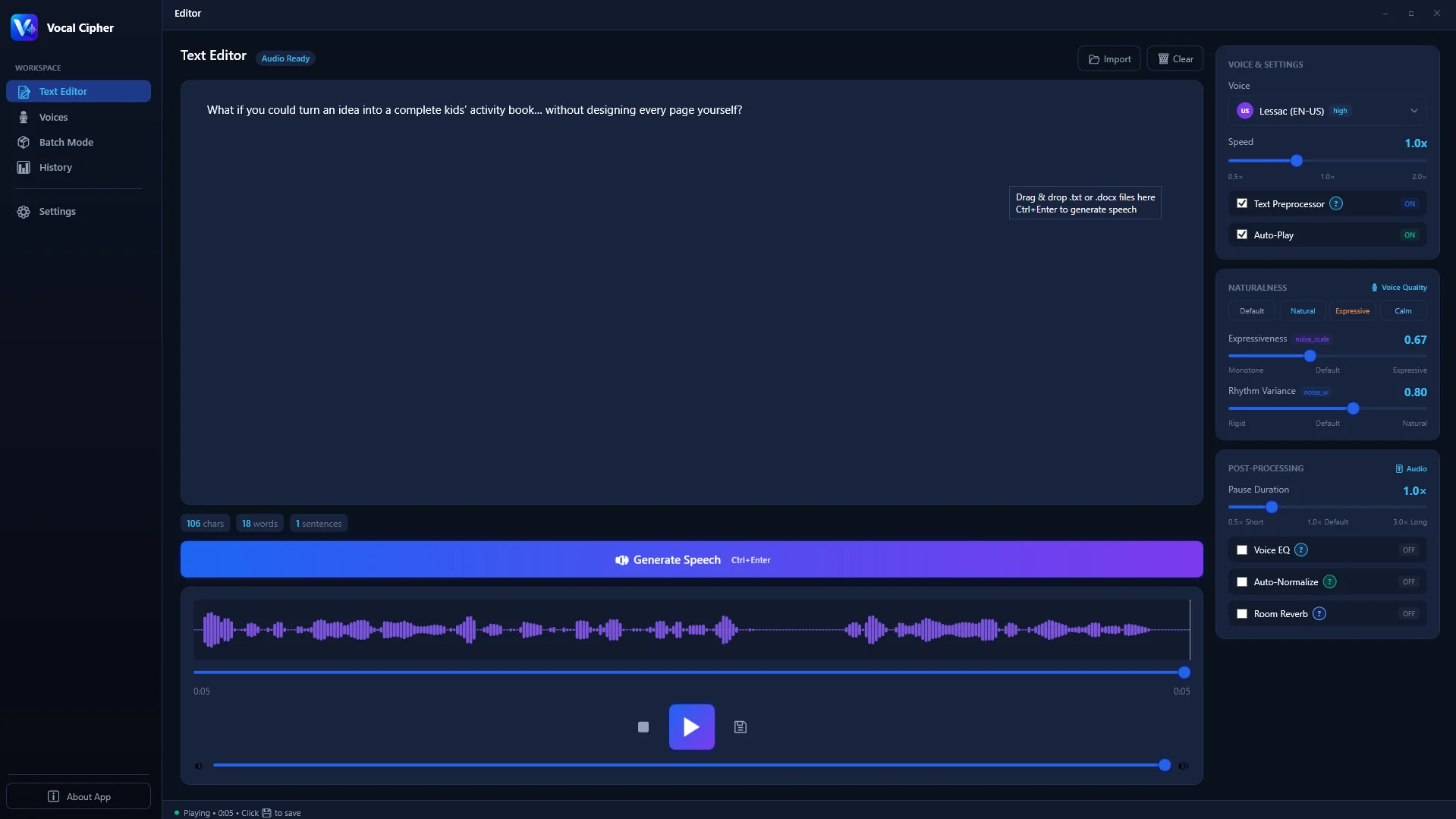
Shape animated dialogue lines with tailored punctuation and phonetic respelling in Vocal Cipher.
- Phonetic Attack Exclamations: In battle anime, attacks are proclaimed with intense vocal force. Spell Japanese attack names phonetically with hyphenated syllables (e.g., "K-A-M-E-H-A-M-E-H-A!" or "Rai-kiri!"). Capitalization and hyphens prevent the model from slurring unfamiliar words.
- Breath and Gasps: Expressive animation relies heavily on non-verbal reactions. You can prompt realistic vocal gasps and hesitation by using combinations of hyphens and question marks (e.g., "W-what?! But... how?!").
- Comedic Stammering: For nervous, comedic, or flustered characters, repeat the opening consonant with a hyphen (e.g., "I-it's not like I wanted your help, anyway!"). The neural synthesis engine interprets the hyphen as an authentic acoustic stop-plosive.
Multi-Speaker Scene Batching: Orchestrating Full Cast Dialogues
Animated shows and video games feature scenes with rapid banter between multiple characters. In traditional cloud workflows, switching between different voices requires reloading web pages, managing separate browser tabs, and paying character fees for every trial take.
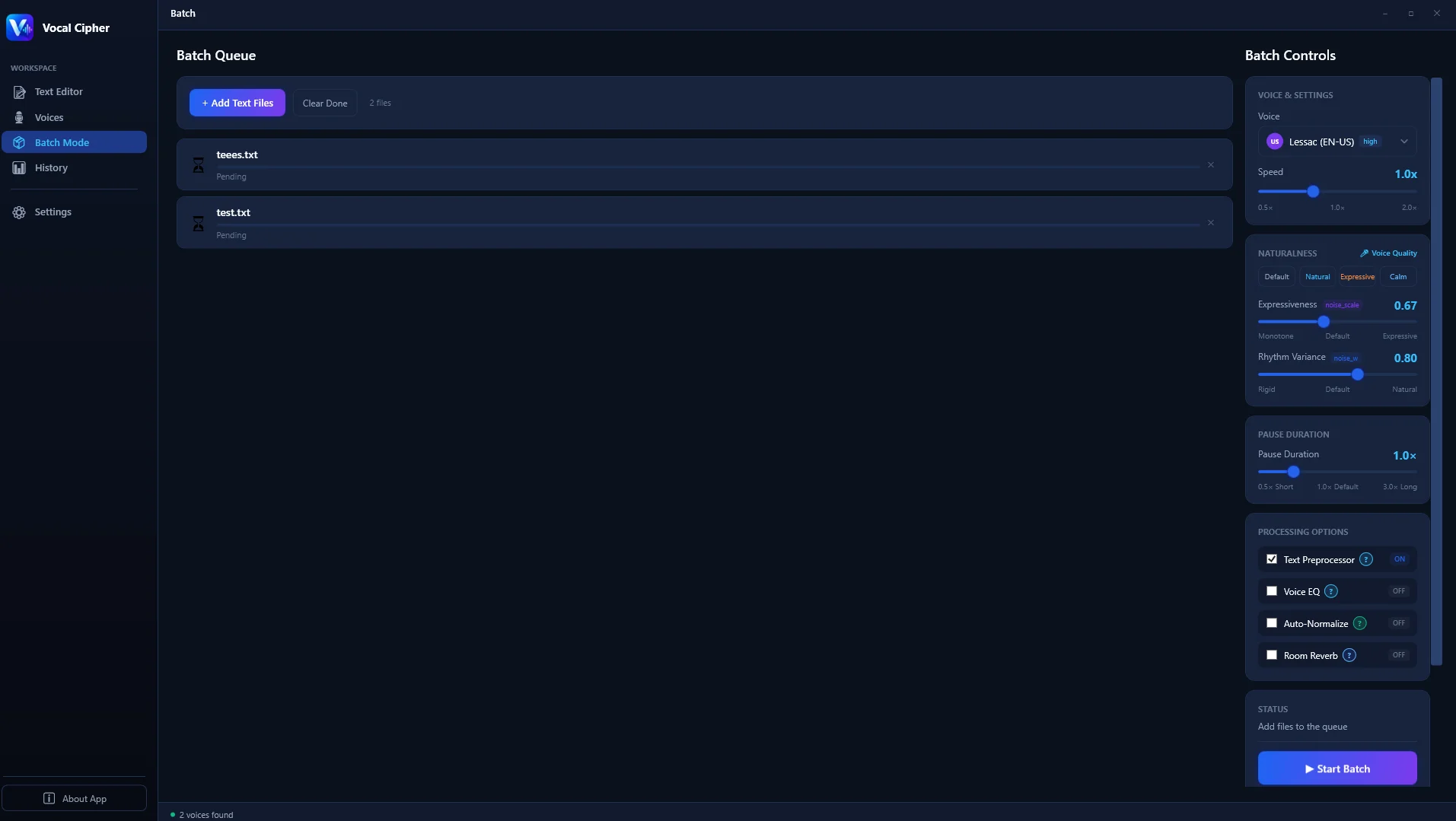
Queue an entire scene script with multiple character voice assignments inside Vocal Cipher.
Vocal Cipher simplifies this with its multi-speaker batch architecture:
- Assign Character IDs: In the script queue, label lines by speaker (e.g.,
Line01_Hero,Line02_Villain,Line03_Hero,Line04_Mascot). - Lock Dedicated Voice Profiles: Bind a distinct local neural model to each character ID.
- Execute Sequential Multi-Track Synthesis: Vocal Cipher synthesizes the entire conversation in one pass, outputting sequentially numbered 24-bit WAV stems directly to your project asset directory.
- Stagger Across NLE Audio Tracks: Import the stems into your video editor or DAW. Place the Hero on Track A1, the Villain on Track A2, and the Mascot on Track A3 for independent volume automation and spatial panning.
Lip-Sync Automation: Integrating WAV Stems with Blender and Unreal Engine
Modern animators do not manually keyframe every mouth phoneme by hand. Automated phoneme detection tools like Papagayo, Rhubarb Lip Sync, Blender's Stop Motion OBJ / LipSync plugins, and Unreal Engine's Audio2Face analyze the frequency spectrum of dialogue files to drive character mouth shapes (visemes like 'AA', 'EE', 'OO', 'MM', and 'FF').
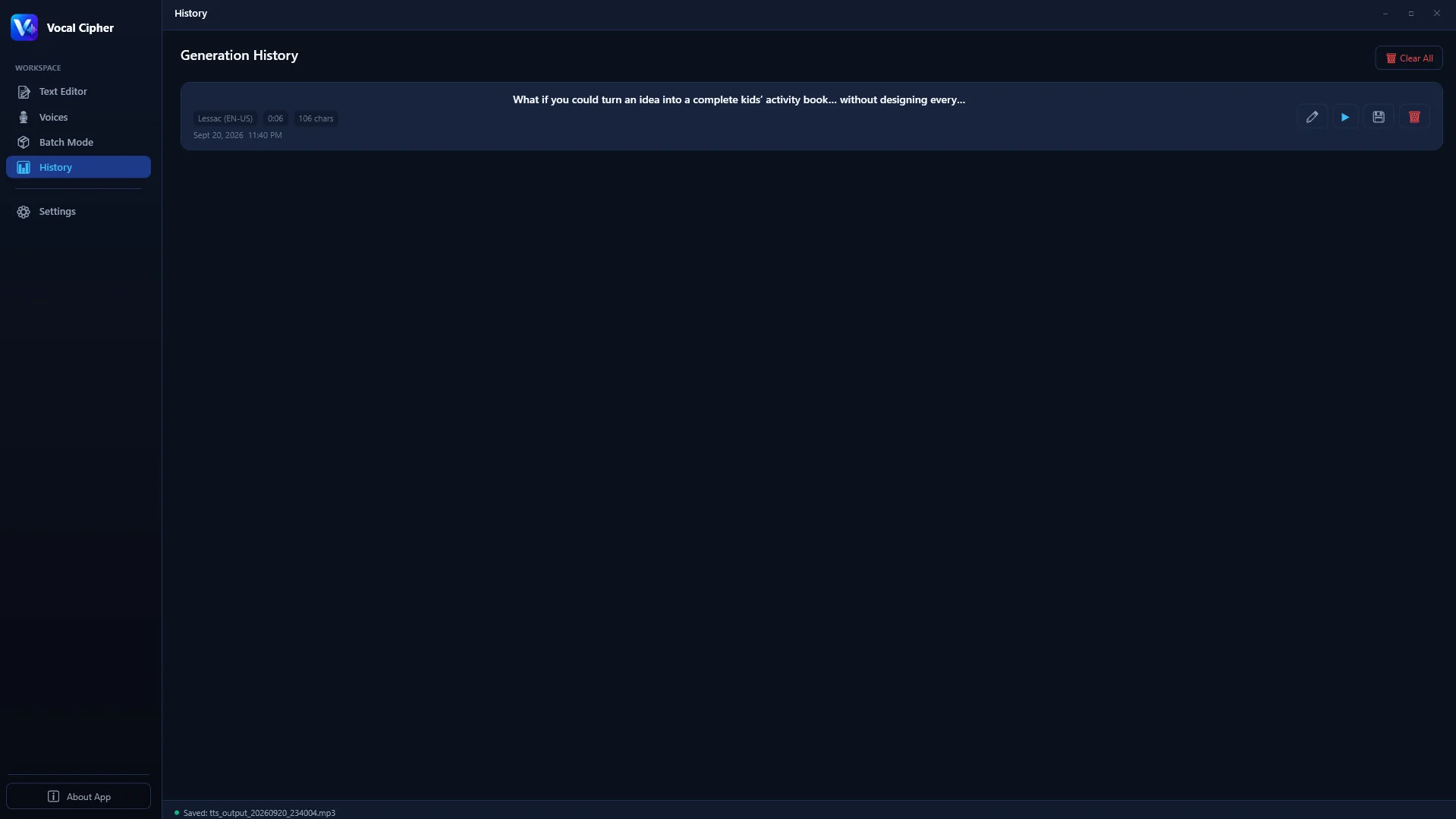
Export uncompressed 24-bit 48kHz WAV dialogue stems for precise automated phoneme mapping.
When automated lip-sync tools process lossy MP3 files, the compression smearing on sibilant consonants causes mouth shapes to miss cue points or flutter unconvincingly. Because Vocal Cipher exports pristine 24-bit 48kHz Linear PCM WAV audio, automated lip-sync tools detect phoneme transitions with surgical precision, saving animators hundreds of hours of manual keyframing.
Comprehensive Production Comparison: Local Software vs. Cloud vs. Freelance
For animation studios, indie game developers, and YouTube animators evaluating production costs, examine the operational differences:
| Production Factor | Freelance Voice Actors | Cloud Character APIs | Vocal Cipher (Local PC) |
|---|---|---|---|
| Cost Model | $100 to $500 per episode | $20 to $120/month subscription | Single one-time desktop purchase |
| Revision Speed | 2 to 5 days turnaround | Instant, but burns paid credits | Instantaneous and 100% unlimited |
| Audio Format | 24-bit WAV | Compressed MP3 | Lossless 24-bit 48kHz Linear PCM WAV |
| Multi-Character Casts | Multiplies cost by talent count | Limited voice library tiers | Full multi-speaker library included |
| Intellectual Property | Contracts and licensing renewals | Scripts uploaded to public clouds | 100% private to your local PC |
DAW Post-Processing Secrets for Cartoon Dialogue
After exporting your character stems from Vocal Cipher, a minimal post-production chain in your DAW (Reaper, Pro Tools, Audacity, or DaVinci Fairlight) can elevate your audio to broadcast cartoon quality:
- Harmonic Tape Saturation: Insert a gentle tape saturation plugin (such as FabFilter Saturn or Soundtoys Decapitator) with drive set to 15%. This adds subtle odd and even harmonics, warming up the synthetic character voice and making it sound like an analog microphone recording.
- Fast Transient Limiting: Animation characters often shout or shriek during action sequences. Use a fast peak limiter with a 0.5ms lookahead to catch sudden transient spikes, maintaining dialogue loudness without clipping.
- Stereo Chorus for Mascots and Fairies: For miniature fairy characters or magical sidekicks, add a subtle dual-voice chorus with 8 cents of detuning and a 15ms delay. This gives the character a shimmering, magical acoustic presence in the stereo field.
The Science of Vowel Formants in Japanese Anime Phonology
Why do Japanese anime voice actors (seiyuu) sound so distinctly animated compared to Western dubs? The difference lies in the acoustic structure of Japanese vowel formants and pitch accent patterns.
Unlike English, which features complex diphthongs (gliding vowels where the tongue moves during pronunciation, such as "eye" or "cow"), Japanese features five pure, unvarying vowel sounds: [a], [i], [ɯ], [e], and [o]. In anime acting, performers deliberately elevate the first two formant frequencies (F1 and F2) of these vowels while compressing the throat cavity. This creates a brilliant, forward-placed acoustic resonance that cuts through heavy orchestral background music, explosive combat sound effects, and magical swooshes.
Another crucial phonetic characteristic is vowel devoicing. In standard Tokyo Japanese, the close vowels [i] and [ɯ] become unvoiced whispers when placed between voiceless consonants (such as [k], [s], [t], [p], and [h]). For instance, in the word "desu", the final 'u' is barely vocalized; it is whispered as a crisp dental fricative ("dess"). In Vocal Cipher, you can simulate this authentic devoicing in English anime scripts by spelling trailing syllables with hyphens or apostrophes (e.g., "des'"), preventing unnatural robotic elongation.
Creating Creature and Villain Voices: Monster Modulation Chains
For dark fantasy anime, sci-fi battles, and dungeon crawler video games, you often need voices for non-human entities: dragons, demons, undead wraiths, and cybernetic hive minds. Starting with a deep, clean 24-bit voice stem from Vocal Cipher, you can apply this modular sound design chain in your DAW:
- Dual-Octave Pitch Layering: Duplicate your character voice stem onto two separate tracks. On Track 1, leave the voice at standard pitch. On Track 2, apply a pitch-shifter lowering the pitch by exactly 12 semitones (one full octave) with a 4-semitone downward formant shift. Blend Track 2 at -6dB beneath Track 1. This creates a terrifying demonic undertone that tracks the character's exact vocal cadence.
- Subharmonic Chest Resonator: Insert a subharmonic generator (such as Waves Submarine or FabFilter Saturn with gentle tube drive) focused between 40Hz and 80Hz. This injects physical tactile weight into dialogue during evil monologues, shaking the listener's subwoofer without muddying speech clarity.
- Haas Effect Stereo Widening: Pan the dry character stem dead center. Send a copy to an auxiliary bus with an 18-millisecond delay panned hard left and a 26-millisecond delay panned hard right. This expands the creature's acoustic presence across the entire stereo field, making it sound omnipresent in the room.
Dialogue Directing for Animators: Comic Timing and Frame Pacing
In traditional hand-drawn and digital animation, action is timed to individual frames at 24 frames per second (fps). The secret to comedic animation is respecting the rhythm of the visual "beat":
- The Double-Take Beat (12 to 16 Frames): When an animated character notices an absurd event, the voice should stop abruptly. Allow 12 to 16 frames of pure visual reaction (wide eyes, jaw drop) before the character delivers the reaction line.
- The Fast Staccato Delivery: In comedic chibi scenes or fast banter, characters speak in rapid staccato bursts. Format your script in Vocal Cipher with short, punchy phrases separated by commas. This instructs the neural model to cut trailing vowel reverberations and pronounce consonants with high transient energy.
- The Anime Sweat-Drop Pause (24 to 36 Frames): When an absurd excuse falls flat, insert 24 to 36 frames (one to one-and-a-half seconds) of utter silence, accompanied only by a gentle cricket chirp or ambient wind sound effect. This acoustic pause magnifies the comedic awkwardness before the scene transitions.
The Acoustic Anatomy of Emotional Extremes: Rage, Sorrow, and Triumph
Animation acting requires moving between extreme emotional states that would seem bizarre in conventional live-action films. When directing character dialogue in Vocal Cipher, use these acoustic targets to convey authentic emotional extremes:
- Battle Rage and Defiance: During climactic battle declarations, the human vocal tract tightens under sympathetic nervous system activation. Elevate fundamental pitch by +2.5 semitones, increase pacing to 175 WPM, and insert exclamation marks after short 3-word assertions. This produces sharp glottal attacks that convey unyielding defiance.
- Melodramatic Despair and Sorrow: In poignant anime flashback sequences, character voices soften and drop in volume. Lower pitch by -1.5 semitones, reduce speech rate to 115 WPM, and insert commas before final qualifying words (e.g., "I wanted to protect them... but I was too weak, after all."). The neural synthesizer drops formant intensity at phrase endings, simulating choking back tears.
- Triumphant Euphoria: When the protagonist discovers newfound resolve, widen the pitch contour variance. Use question marks followed by declarative statements to simulate rising melodic pitch arcs that elevate viewer emotional engagement.
Directing Automated Puppets in Adobe Character Animator
For 2D digital creators producing animated YouTube web series, Adobe Character Animator provides an ideal partner for Vocal Cipher:
- Import 24-bit 48kHz WAV Stems: Drag your exported Vocal Cipher audio file directly onto the Character Animator timeline beneath your rigged puppet layer.
- Execute Compute Lip Sync from Audio: Select Timeline > Compute Lip Sync Take from Scene Audio. Character Animator executes a fast Fourier transform, generating viseme keys for 'Ah', 'Oh', 'Ee', 'W-Oo', 'F-V', 'L', and 'M'.
- Fine-Tune Viseme Hold Durations: Because 24-bit uncompressed WAV files contain sharp consonant attack profiles without MP3 pre-echo, the generated visemes match mouth gestures frame-by-frame, eliminating jittery mouth fluttering.
Game Audio Middleware Integration: FMOD and Wwise Pipelines
Indie game developers building RPGs, visual novels, and action adventures on Windows face strict performance and memory budgets. Integrating voiceovers into audio middleware like FMOD Studio or Audiokinetic Wwise requires clean, uncompressed master stems:
- Exporting Clean Linear PCM: Always export Dialogue Barks (combat grunts, greetings, death screams) as 24-bit 48kHz WAV files from Vocal Cipher. When audio middleware encodes assets into Vorbis or ADPCM formats for game packaging, beginning with uncompressed PCM prevents artifact compounding.
- Micro-Randomization in Middleware: Inside FMOD or Wwise, assign your character barks to a Multi-Sound container. Apply subtle random pitch modulation (+/- 1.5 semitones) and random volume modulation (+/- 1.2dB). This ensures that when an enemy guard repeats "Halt, intruder!" twenty times during gameplay, each playback variation sounds fresh and organic.
- Dialogue Event Tagging: Use Vocal Cipher's batch naming system to match your game's asset naming conventions (e.g.,
VO_NPC_Guard_Alert_01.wav,VO_NPC_Guard_Search_02.wav). This streamlines bulk import into Unity addressables or Unreal Engine sound cues.
2D Animation Workflows: Clip Studio Paint, Moho, and OpenToonz Integration
For animators working in dedicated 2D vector and raster suites like Moho Pro, Clip Studio Paint EX, or OpenToonz, dialogue audio acts as the foundational exposure sheet (X-sheet):
- Moho Pro Switch Layers: Import your Vocal Cipher 24-bit WAV file onto the Moho audio track. Right-click your character's mouth switch layer and select the audio file. Moho parses the frequency peaks to switch mouth drawings between closed, wide, narrow, and dental shapes automatically.
- Clip Studio Paint Audio Scrubbing: In Clip Studio Paint EX, import the audio file into the timeline. Enable real-time audio scrubbing to locate exact frame numbers where dialogue syllables peak, allowing you to hand-draw keyframe exaggeration on the most energetic frames.
- OpenToonz Exposure Sheet Sync: Load the audio into OpenToonz xsheet columns. The visual sound wave display provides a millimeter-precise reference for in-between drawings and animated head tilts.
Build Your Animation Cast with Vocal Cipher
Stop relying on expensive cloud subscriptions or voice actor scheduling delays. Generate expressive anime, cartoon, and game character voices locally on your Windows PC.
Get Vocal CipherFrequently Asked Questions (FAQ)
Can I generate non-human voices like aliens, monsters, and goblins?
Yes. By lowering fundamental pitch and applying negative formant scaling inside Vocal Cipher, you can simulate gargantuan creatures, demons, and ogres. Conversely, raising pitch and formants yields goblins, fairies, and small animal companions.
How does Vocal Cipher handle Japanese or foreign phonemes for anime?
Vocal Cipher includes international phonetic tables and multi-lingual voice profiles. You can write English scripts with Japanese loan words and anime terms phonetically, or generate dialogue in Japanese, Spanish, French, and German using native phoneme mappings.
Can I use these character voices in commercial indie video games on Steam?
Yes. All audio synthesized through Vocal Cipher carries zero royalty obligations. You can embed the exported WAV files into indie games, RPG Maker projects, Unity titles, Unreal Engine games, and Steam releases without paying royalties or ongoing per-unit licensing fees.
Does Vocal Cipher require an internet connection during animation production?
No. The entire neural speech synthesis engine runs 100% locally on your Windows PC. You can animate and render voiceovers completely offline, whether in a secure studio or traveling without Wi-Fi.
How fast does character dialogue render on a standard desktop PC?
Rendering occurs at 10x to 35x real-time speed. A thirty-second character dialogue sequence synthesizes in approximately one to two seconds on modern multi-core Windows processors, allowing rapid creative iteration.
Can I import the generated WAV files directly into Blender for 3D animation?
Yes. Blender's Video Sequence Editor (VSE) and automated phoneme lip-sync plugins natively support 24-bit 48kHz WAV audio files. The exact sample alignment ensures mouth geometry matches vocal timing without drift.
Can I create custom voice profiles for signature recurring animation characters?
Yes. Once you dial in the exact combination of voice model, pitch contour, pacing, and formant scale for your main character, you can save it as a permanent project preset inside Vocal Cipher. Your character will maintain an identical vocal identity across hundreds of episodes.
How does uncompressed WAV output improve character pitch correction and vocoding?
Vocoders and pitch correction plugins (like Celemony Melodyne or Antares Auto-Tune) rely on precise zero-crossing cycle analysis to detect fundamental pitch. 24-bit 48kHz Linear PCM stems contain the full uncorrupted phase information required for pitch shifters to track cleanly without introducing metallic warbling artifacts.
Can I use these voiceovers for spatial binaural audio in VR games and 3D animated shorts?
Yes. Spatial audio engines such as Oculus Spatializer, SteamAudio, and Dolby Atmos require dry, uncompressed mono dialogue stems with wide dynamic range. Because Vocal Cipher synthesizes clean 24-bit PCM audio without baked-in room reflections or compression smear, spatial HRTF filters (Head-Related Transfer Functions) can position the character realistically anywhere in 3D space around the listener's head.